1. សេចក្តីផ្តើម
This manual provides essential information for the safe and effective operation of your SIMREX X41 Mini Drone. Designed for kids and beginners, this RC quadcopter features user-friendly controls and robust safety mechanisms. Please read this manual thoroughly before first use to ensure proper setup and enjoyable flight experiences.

Figure 1: SIMREX X41 Mini Drone and included accessories.
2. មាតិកាកញ្ចប់
ផ្ទៀងផ្ទាត់ថាធាតុទាំងអស់មាននៅក្នុងកញ្ចប់របស់អ្នក៖
- SIMREX X41 Mini Drone
- ការបញ្ជាពីចម្ងាយ
- Drone Battery (x2)
- ស្លាប (សំណុំបម្រុង)
- ទួណឺវីស
- ខ្សែសាក USB
- សៀវភៅណែនាំអ្នកប្រើប្រាស់
3. ផលិតផលលើសview
Familiarize yourself with the drone and its remote control.

Figure 2: SIMREX X41 Mini Drone and Remote Control.
សមាសធាតុ Drone
- អ្នកឃោសនា៖ Four propellers for lift and movement.
- របាំងការពារស្លាបម៉ាស៊ីន៖ Integrated guards protect propellers and surroundings.
- អំពូល LED៖ Cool LED lights for visibility and aesthetic appeal.
- ប្រអប់ដាក់ថ្ម៖ Located at the rear for modular battery insertion.
ប្លង់បញ្ជាពីចម្ងាយ

Figure 3: Remote Control Button Functions.
- Speed Key: Long press to fine-tune.
- Left Operating Lever: គ្រប់គ្រងរយៈកម្ពស់ និងការបង្វិល។
- One-Button Takeoff/Landing: Long press for emergency stop.
- Roll Button: Long press for light switch.
- Right Operating Lever: គ្រប់គ្រងចលនាទៅមុខ/ថយក្រោយ និងឆ្វេង/ស្តាំ។
- កុងតាក់ថាមពល៖ បើក/បិទឧបករណ៍បញ្ជាពីចម្ងាយ។
Note: The remote control requires 3 AAA batteries (not included).
៤.៥. សាកថ្ម
To ensure optimal flight time, fully charge the drone batteries before each use.
- ភ្ជាប់ថ្មដ្រូនទៅនឹងខ្សែសាក USB។
- Plug the USB cable into a compatible USB power source (e.g., computer, USB wall adapter).
- The indicator light on the charging cable will show charging status (refer to cable instructions for specific light behavior).
- Charging typically takes approximately 45-60 minutes per battery.
- The remote control requires 3 AAA batteries (not included). Install them according to the polarity markings inside the battery compartment.

Figure 4: Modular batteries for extended flight time.
5. ការដំឡើងឧបករណ៍បញ្ជា
Follow these steps to prepare your remote control for flight:
- Install 3 AAA batteries into the remote control, observing correct polarity.
- Turn on the remote control using the Power Switch. The indicator light will flash.
- ដាក់ដ្រូននៅលើផ្ទៃរាបស្មើនិងកម្រិត។
- Turn on the drone by pressing and holding its power button. The drone's LED lights will flash.
- To pair, push the left operating lever on the remote control fully up, then fully down. The remote control will beep, and the drone's LED lights will become solid, indicating successful pairing.
6. បញ្ជីត្រួតពិនិត្យមុនពេលហោះហើរ
Before each flight, ensure the following:
- Drone and remote control batteries are fully charged.
- Propellers are securely attached and undamaged.
- Flight area is clear of obstacles, people, and pets.
- Drone and remote control are successfully paired.
7. សេចក្តីណែនាំប្រតិបត្តិការ
Master the flight controls and special features of your SIMREX X41 Mini Drone.
7.1 One-Key Takeoff/Landing
For effortless starts and finishes:
- After pairing, press the ការហោះឡើង/ចុះចតដោយប្រើប៊ូតុងតែមួយ button. The drone will automatically ascend and hover at a stable altitude.
- To land, press the same button again. The drone will slowly descend and land automatically.

Figure 5: One-tap takeoff and landing for beginners.
៥.២.១ ការរក្សារយៈកម្ពស់
This feature allows the drone to maintain a consistent altitude, making it easier to control and ideal for beginners.
- Once the drone is airborne, release the left operating lever. The drone will automatically hold its current altitude.
- Adjust altitude by pushing the left operating lever up or down.
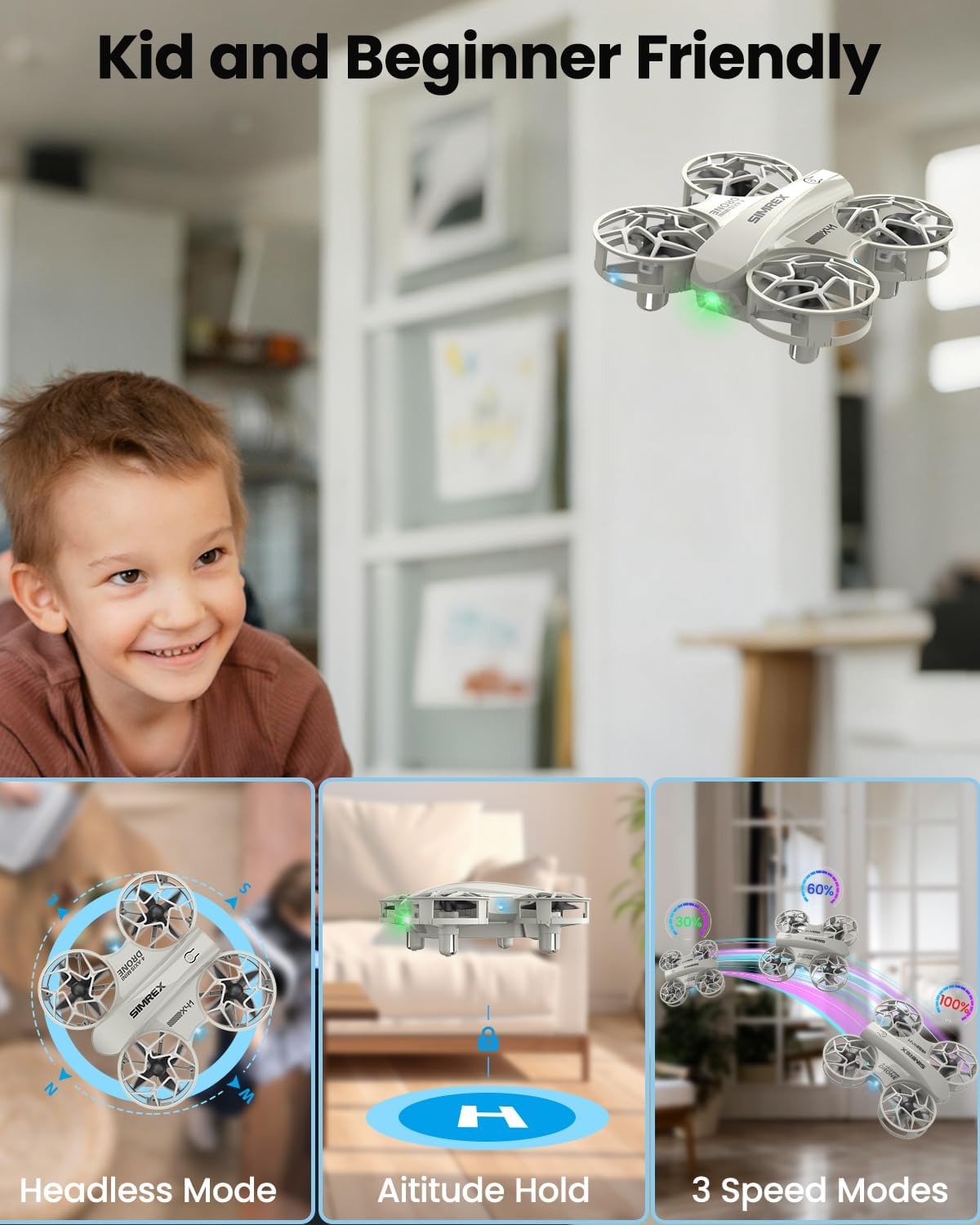
Figure 6: Altitude Hold feature for stable hovering.
7.3 របៀបគ្មានក្បាល
Eliminates the need to distinguish the drone's head or tail direction, simplifying flight control.
- ចុច របៀបគ្មានក្បាល button (refer to remote control diagram for location).
- In Headless Mode, the drone's orientation is relative to the pilot, regardless of its actual front-facing direction.
Figure 7: Headless Mode simplifies drone orientation.
7.4 របៀបល្បឿន
Adjust the drone's speed to match your skill level:
- ចុច គ្រាប់ចុចល្បឿន to cycle through 3 speed modes: Low, Medium, and High.
- Start with Low speed for learning and gradually increase as you gain confidence.
Figure 8: Three speed modes for progressive skill development.
7.5 Stunt Flip (360° Flip)
Perform exciting aerial stunts with ease:
- ពេលកំពុងហោះហើរ សូមចុច Roll Button.
- Immediately push the right operating lever in any direction (forward, backward, left, or right) to execute a 360° flip in that direction.

Figure 9: Performing a 360-degree stunt flip.
8. លក្ខណៈពិសេសសុវត្ថិភាព
Your SIMREX X41 Mini Drone is equipped with features to enhance durability and safety.
8.1 Propeller Guards
The integrated propeller guards protect the propellers from damage during collisions and prevent accidental contact with users.

Figure 10: Integrated propeller guards for enhanced safety.
8.2 Loss-of-Signal Protection
If the drone loses connection with the remote control, it will automatically initiate a safe landing to prevent uncontrolled flight.
8.3 Stuck-Rotor Protection
This feature helps prevent motor damage by automatically cutting power to the motors if a propeller becomes jammed or stuck.
9. ការថែទាំ
Regular maintenance ensures the longevity and performance of your drone.
- ការសម្អាត៖ Use a soft, dry cloth to clean the drone body and propellers. Avoid water or harsh chemicals.
- ការត្រួតពិនិត្យម៉ាស៊ីនភ្លើង៖ Regularly check propellers for cracks or damage. Replace any damaged propellers using the provided screwdriver and spare parts.
- ការថែរក្សាថ្ម៖ Store batteries in a cool, dry place. Do not overcharge or over-discharge.

Figure 11: Inspect propellers regularly for damage.
10. ការដោះស្រាយបញ្ហា
ប្រសិនបើអ្នកជួបប្រទះបញ្ហា សូមមើលដំណោះស្រាយទូទៅទាំងនេះ៖
- Drone not pairing: Ensure both drone and remote control are powered on and fully charged. Repeat the pairing process (left lever up then down).
- ការហោះហើរមិនស្ថិតស្ថេរ/រសាត់៖ Perform a calibration. Place the drone on a flat surface, then push both joysticks down and to the bottom-right corner simultaneously for a few seconds until the lights flash.
- រយៈពេលហោះហើរខ្លី៖ Ensure batteries are fully charged. Flight time can vary based on speed mode and environmental factors.
- Propellers not spinning: Check for obstructions or damage to propellers. Ensure the drone is paired and motors are unlocked.
11. លក្ខណៈបច្ចេកទេស
| លក្ខណៈ | លម្អិត |
|---|---|
| ម៉ាក | ស៊ីមរេច |
| ឈ្មោះម៉ូដែល | Z10 (Manufacturer Part Number: X41) |
| លក្ខណៈពិសេស | ការបង្វិល 360 ដឺក្រេ |
| ជួរអាយុ | ក្មេង |
| ពណ៌ | ប្រផេះ |
| បច្ចេកវិទ្យាតភ្ជាប់ | វ៉ាយហ្វាយ |
| កម្រិតជំនាញ | អ្នកចាប់ផ្តើម |
| សមត្ថភាពថ្ម | 10 លានamp ម៉ោង |
| បច្ចេកវិទ្យាបញ្ជាពីចម្ងាយ | វ៉ាយហ្វាយ |
| សម្ភារៈ | ផ្លាស្ទិច |
| ទំងន់ធាតុ | 7.5 អោន |
| វិមាត្រផលិតផល | 7.6"L x 5.43"W x 2.28"H |
12. វីដេអូផលិតផលផ្លូវការ
Watch these official videos from SIMREX for additional guidance and demonstrations.
Product Introduction Video
This video provides a general introduction to the SIMREX Mini Drone, highlighting its key features and ease of use.
SIMREX Mini Drone for Kids & Beginners
ការបង្ហាញវីដេអូលម្អិតasing the SIMREX Mini Drone's features and demonstrating its operation for new users.
13. ការធានា និងការគាំទ្រ
For warranty information, technical support, or service inquiries, please refer to the contact details provided on the product packaging or visit the official SIMREX webគេហទំព័រ។ រក្សាបង្កាន់ដៃទិញរបស់អ្នកជាភស្តុតាងនៃការទិញ។


