Scosche CPD32LT

សៀវភៅណែនាំសម្រាប់ឧបករណ៍សាកថ្មរថយន្ត Scosche FoundIT Charge 32W

Model: CPD32LT

ផលិតផលលើសview

The Scosche FoundIT Charge is a dual-port car charger designed for your vehicle's 12V cigarette lighter socket. It features 32W total power output, including a 20W USB-C Power Delivery port and a 12W USB-A port. A key feature is its built-in locator, compatible with Apple Find My and Android Find Hub, allowing users to track the charger's location. The device includes an internal rechargeable battery to maintain locator functionality even when unplugged.

លក្ខណៈសំខាន់ៗ៖

  • Built-in Locator: Compatible with Apple Find My and Android Find Hub for tracking.
  • ការសាកថ្មពីរច្រក៖ One 20W USB-C PD port and one 12W USB-A port for simultaneous charging.
  • លទ្ធផលសរុប៖ 32W combined power output.
  • ថ្មខាងក្នុង៖ Maintains locator function when unplugged or vehicle is off.
  • ការការពារឯកជនភាព៖ Encrypted location data, visible only to authorized users.
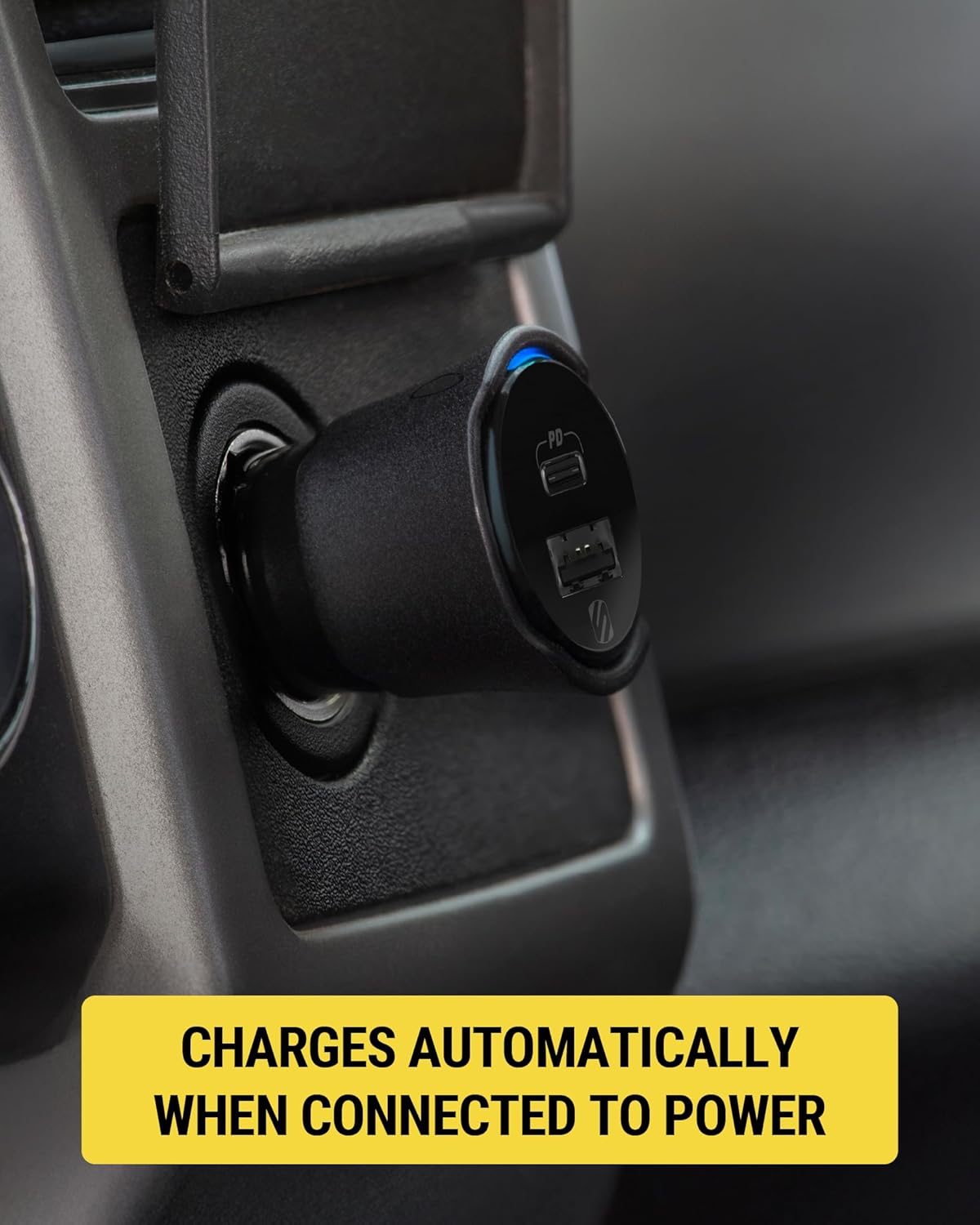
  • បើកដោយស្វ័យប្រវត្តិ៖ Activates when connected to the vehicle's 12V socket.
Scosche FoundIT Charge 32W Car Charger with phone displaying locator map and a car in the background
Image 1: Scosche FoundIT Charge 32W Car Charger. This image displays the charger alongside a smartphone showing its location tracking capabilities, with a car in the background, illustrating its primary function as a car charger with an integrated locator.

ការដំឡើងនិងការដំឡើង

  1. Insert into 12V Socket: Plug the Scosche FoundIT Charge directly into your vehicle's 12V cigarette lighter socket. The charger will power on automatically.
  2. Download Locator App:
    • For Apple devices: Download the Apple Find My app from the App Store.
    • For Android devices: Download the Android Find Hub app from the Google Play Store.
  3. ផ្គូផ្គងឧបករណ៍៖ Follow the on-screen instructions within the chosen locator app to pair your Scosche FoundIT Charge. The app will guide you through the connection process, typically involving a prompt when the device is first detected.
  4. ផ្ទៀងផ្ទាត់ការតភ្ជាប់៖ Once paired, confirm that the charger's location is visible within the app.
Scosche FoundIT Charge 32W Car Charger plugged into a vehicle's 12V power outlet
Image 2: The Scosche FoundIT Charge securely inserted into a car's 12V power outlet, ready for use. This demonstrates the physical installation step.
Close-up of the Scosche FoundIT Charge 32W Car Charger in a vehicle's 12V power outlet, showing a blue indicator light
រូបភាពទី 3៖ ទិដ្ឋភាពជិតស្និទ្ធ view of the charger in the 12V socket, highlighting the illuminated blue indicator light, which signifies that the device is powered on and operational.

សេចក្តីណែនាំប្រតិបត្តិការ

ឧបករណ៍សាកថ្ម៖

  • USB-C PD Port (20W): Use this port with a compatible USB-C cable for fast charging of modern smartphones (e.g., iPhone 12 series and newer, Samsung Galaxy S23/S24/S25) and tablets.
  • USB-A Port (12W): Use this port with a compatible USB-A cable to charge other accessories such as older smartphones, headphones, or GPS units.
  • ការសាកថ្មក្នុងពេលដំណាលគ្នា៖ Both ports can be used simultaneously to charge two devices. The total output is 32W.
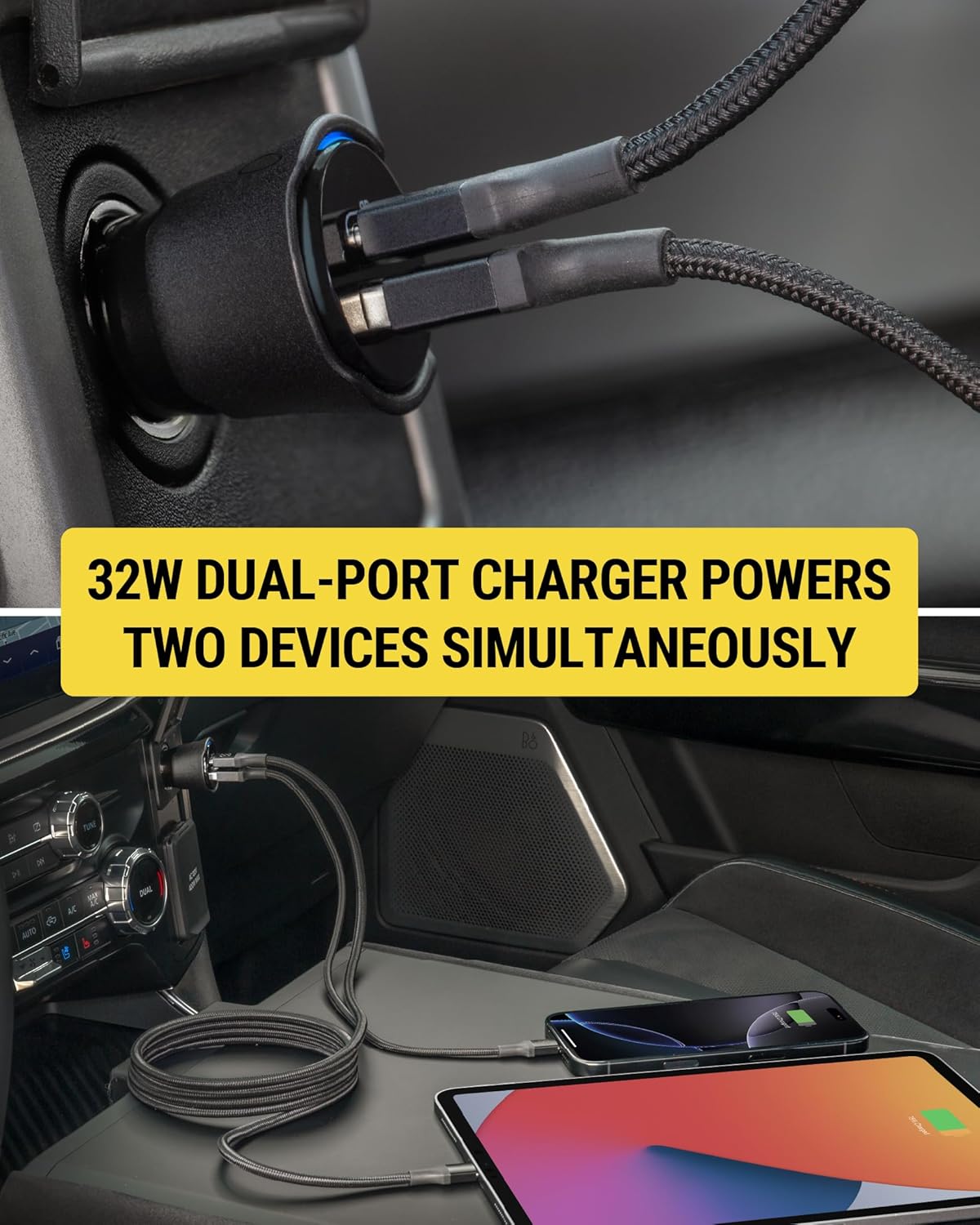
Scosche FoundIT Charge 32W Car Charger simultaneously charging a smartphone and a tablet
Image 4: The dual-port charger actively charging both a smartphone and a tablet, demonstrating its capability to power multiple devices concurrently.

Using the Locator Function:

  • Locate Your Charger: Open the Apple Find My or Android Find Hub app on your paired device. The app will display the last known location of your FoundIT Charge.
  • ចាក់សំឡេង៖ If within Bluetooth range, you can use the app to make the charger emit a sound, helping you pinpoint its exact location.
  • Get Directions: The app can provide directions to the charger's location, useful for finding your parked vehicle or a misplaced charger.
  • ចែករំលែកទីតាំង៖ You can share the charger's location with trusted individuals through the app.
Smartphone screen displaying the Apple Find My app with the Scosche FoundIT Charge's location and options to play sound or get directions
Image 5: A smartphone screen showing the Find My app interface, with the Scosche FoundIT Charge's location marked on a map, along with options to play a sound or receive directions.

វីដេអូផលិតផលផ្លូវការ៖

Video 1: Official product video demonstrating the features and functionality of the Scosche FoundIT Charge, including its dual-port charging and built-in item locator.

ថែទាំ

  • ថ្មខាងក្នុង៖ The FoundIT Charge contains an internal rechargeable battery that powers the locator function. This battery recharges automatically when the charger is plugged into a live 12V socket. It can maintain the locator function for up to 3 months between charges. Regular use in your vehicle will keep the internal battery charged.
  • ការសម្អាត៖ Use a dry, soft cloth to clean the exterior of the charger. Avoid using liquid cleaners or solvents.
  • ការផ្ទុក៖ When not in use for extended periods, store the charger in a cool, dry place.

ការដោះស្រាយបញ្ហា

បញ្ហាមូលហេតុដែលអាចកើតមានដំណោះស្រាយ
ឧបករណ៍មិនសាកថ្មទេ។
  • Loose connection in 12V socket.
  • ខ្សែសាកមានកំហុស។
  • Vehicle's 12V socket is not powered.
  • Device incompatibility or excessive power draw.
  • Ensure the charger is firmly seated in the 12V socket.
  • សាកល្បងខ្សែសាកផ្សេង។
  • Verify the vehicle's 12V socket is active (e.g., by testing with another device).
  • Ensure your device is compatible with USB-C PD or standard USB-A charging.
Locator not updating or found.
  • Charger's internal battery is depleted.
  • បញ្ហាការតភ្ជាប់ប៊្លូធូស។
  • App not properly configured or updated.
  • Plug the charger into a 12V socket in a running vehicle to recharge its internal battery.
  • Ensure Bluetooth is enabled on your phone and the charger is within range.
  • Check for updates to the Apple Find My or Android Find Hub app. Re-pair the device if necessary.
ល្បឿនសាកថ្មយឺត។
  • ការប្រើប្រាស់ខ្សែសាកថ្មដែលមិនសាកលឿន។
  • ឧបករណ៍មិនគាំទ្រការសាកថ្មលឿនទេ។
  • Multiple devices drawing power simultaneously.
  • Use a high-quality USB-C to USB-C or USB-C to Lightning cable for fast charging.
  • Confirm your device supports 20W USB-C Power Delivery.
  • Charging two devices simultaneously may distribute power, potentially reducing individual charging speeds.

លក្ខណៈបច្ចេកទេស

  • ម៉ូដែល៖ CPD32LT (FoundIT Charge)
  • បញ្ចូល៖ 12 Volts (from vehicle's 12V socket)
  • លទ្ធផល៖
    • USB-C PD Port: 20W
    • USB-A Port: 12W
    • លទ្ធផលសរុប: 32W
  • ការតភ្ជាប់៖ Bluetooth (for locator function)
  • ទម្ងន់៖ ប្រហែល 3.2 អោន
  • វិមាត្រ៖ Approximately 2.55 inches (length) x 1.21 inches (diameter)
  • សម្ភារៈ៖ ផ្លាស្ទិច
  • លក្ខណៈពិសេស៖ Fast Charging, Multi-Device Charging, Built-in Locator (Apple Find My & Android Find Hub compatible)
Diagram showing the dimensions and port types of the Scosche FoundIT Charge 32W Car Charger
Image 6: A detailed diagram illustrating the physical dimensions and the specific output wattage for both the 20W USB-C and 12W USB-A ports on the charger.

ឯកសារពាក់ព័ន្ធ - CPD32LT

មុនview Scosche FoundIT™ Charge៖ ឆ្នាំងសាករថយន្តពីររន្ធ 32W ជាមួយ Apple Find My Locator
សៀវភៅណែនាំអ្នកប្រើប្រាស់ និងផលិតផលview សម្រាប់ Scosche FoundIT™ Charge ដែលជាឆ្នាំងសាករថយន្ត USB រន្ធពីរ 32W ដែលមានឧបករណ៍ស្វែងរកវត្ថុដែលភ្ជាប់មកជាមួយ ដែលអាចប្រើជាមួយបណ្តាញ Apple Find My និង Android Find Hub។ ស្វែងយល់ពីរបៀបដំឡើង ប្រើប្រាស់ និងដោះស្រាយបញ្ហា។
មុនview អាដាប់ទ័ររថយន្ត Scosche DoubleUP DCLSP402SW 12V ជាមួយ USB-C PD - មគ្គុទ្ទេសក៍អ្នកប្រើប្រាស់
ស្វែងយល់ពីរបៀបប្រើប្រាស់ Scosche DoubleUP DCLSP402SW ដែលជាអាដាប់ទ័ររថយន្ត 12V ដែលអាចប្រើប្រាស់បានច្រើនយ៉ាង ដែលមានរន្ធ 12V ចំនួនពីរ រន្ធជំនួយ 12V មួយ និងរន្ធ USB-C Power Delivery 20W ចំនួនពីរ។ រួមបញ្ចូលទាំងការដំឡើង និងមុខងារបន្ថែម។view.
មុនview សៀវភៅណែនាំអ្នកប្រើប្រាស់ Scosche PowerUp 32K Portable Power Hub
សៀវភៅណែនាំអ្នកប្រើប្រាស់សម្រាប់ Scosche PowerUp 32K Portable Power Hub ដែលរៀបរាប់លម្អិតអំពីលក្ខណៈពិសេស ការដំឡើង និងប្រតិបត្តិការរបស់វា រួមទាំងការបញ្ចូលថ្ម ថាមពលចេញ និងមុខងារពិល។
មុនview អាដាប់ទ័រសាកថ្មរថយន្ត Scosche OBD2QC3 OBDII/USB-A ជាមួយការសាកថ្មរហ័ស Qualcomm - សៀវភៅណែនាំអ្នកប្រើប្រាស់
សៀវភៅណែនាំអ្នកប្រើប្រាស់សម្រាប់ Scosche OBD2QC3 ដែលជាឧបករណ៍ភ្ជាប់ឆ្នាំងសាករថយន្ត OBDII/USB-A ដែលមានបច្ចេកវិទ្យា Qualcomm Quick Charge។ សៀវភៅណែនាំនេះផ្តល់នូវការណែនាំអំពីការដំឡើង លក្ខណៈពិសេស និងព័ត៌មានជំនួយសម្រាប់ផ្តល់ថាមពលដល់កាមេរ៉ារថយន្ត និងឧបករណ៍ USB ផ្សេងទៀត។
មុនview Scosche BTFM8 Bluetooth FM Transmitter and Car Charger User Manual
Detailed user manual for the Scosche BTFM8 Bluetooth FM Transmitter. Learn how to set up, pair, stream music, make calls, use voice assistants, and charge devices with this car adapter.
មុនview Scosche GoBat 10K Power Bank User Manual and Specifications
User manual and specifications for the Scosche GoBat 10K portable 10,000 mAh power bank. Learn how to charge your devices and the power bank, view technical details, and understand compliance information.