1. សេចក្តីផ្តើម
Thank you for choosing the boAt Airdopes 641 Truly Wireless Earbuds. This manual provides essential information for setting up, operating, and maintaining your earbuds to ensure optimal performance and longevity. Please read this guide carefully before using the product.
2. ផលិតផលលើសview
The boAt Airdopes 641 are designed for a seamless audio experience, featuring advanced connectivity and intuitive controls.

រូបភាព៖ Key features of the Airdopes 641, highlighting RGB LEDs, Instant Wake N' Pair (IWP) technology, Bluetooth 5.0 connectivity, 6mm Dual Drivers for audio, and a Capacitive Touch Panel for controls.
2.1 សមាសធាតុ
- ក្រវិល៖ Left and Right truly wireless earbuds with in-ear design.
- ករណីសាកថ្ម៖ ស្រោមទូរស័ព្ទសម្រាប់សាកថ្ម និងទុកកាសស្តាប់ត្រចៀក។
- ខ្សែ USB Type-C៖ សម្រាប់ការសាកថ្មករណី។
- សៀវភៅណែនាំអ្នកប្រើប្រាស់៖ ឯកសារនេះ។
2.2 លក្ខណៈពិសេស
- ប៊្លូធូស ៤.០ សម្រាប់ការតភ្ជាប់ឥតខ្សែដែលមានស្ថេរភាព និងប្រសិទ្ធភាព។
- IWP (Instant Wake N' Pair): Enables quick pairing with your device once the case lid is opened.
- Capacitive Touch Panel: For easy control of music, calls, and voice assistant.
- 6mm Dual Drivers: Delivers immersive audio experience.
- LED RGB៖ Indicator lights for status.
- របៀប BEAST៖ របៀបភាពយឺតយ៉ាវទាបសម្រាប់លេងហ្គេម។
- IPX5 Water & Sweat Shield: ផ្តល់ការការពារប្រឆាំងនឹងការហៀរទឹក និងញើស។
- Up to 30 Hours Total Playback: Combined battery life of earbuds and charging case.
- ការសាក USB Type-C៖ រន្ធសាកថ្មទំនើប និងងាយស្រួល។
3. រៀបចំ
3.1 ការសាកថ្មកាស និងស្រោម
មុនពេលប្រើលើកដំបូង សូមប្រាកដថាទាំងកាសស្តាប់ត្រចៀក និងស្រោមសាកត្រូវបានសាកពេញ។
- Place both earbuds into the charging case, ensuring they are correctly seated. The earbuds will automatically begin charging.
- Connect the USB Type-C charging cable to the charging port on the case and plug the other end into a compatible USB power adapter (not included).
- The LED indicators on the case will show the charging status. Once fully charged, the indicators may change or turn off.
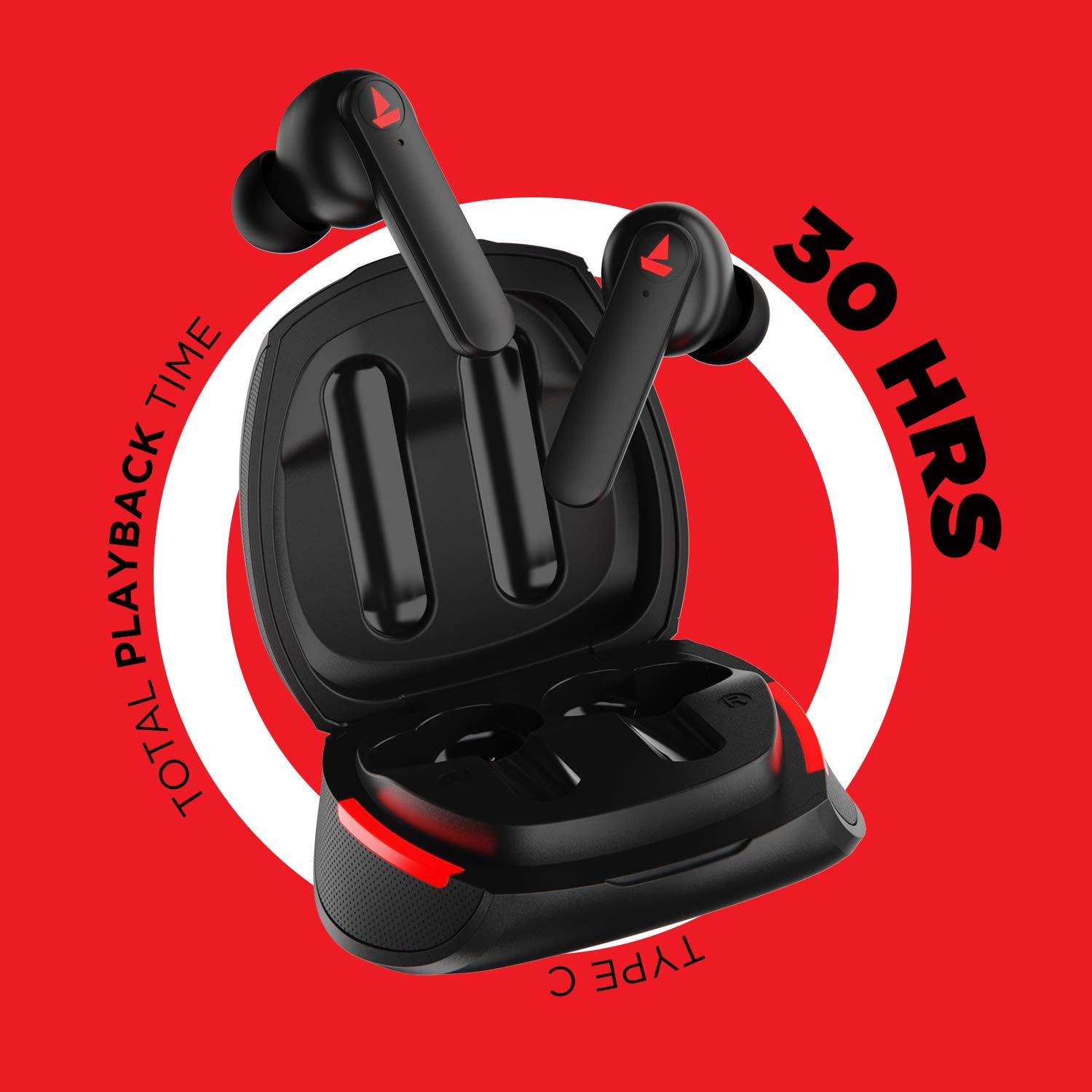
រូបភាព៖ The Airdopes 641 earbuds resting in their charging case, illustrating the Type-C charging capability and the impressive 30 hours of total playback time.
3.2 Initial Pairing (IWP Technology)
The Airdopes 641 feature Instant Wake N' Pair (IWP) technology for quick and effortless connection.
- បើកគម្របប្រអប់សាក។ កាសស្តាប់ត្រចៀកនឹងបើកដោយស្វ័យប្រវត្តិ ហើយចូលមុខងារផ្គូផ្គង។
- នៅលើស្មាតហ្វូន ឬឧបករណ៍ដែលបើកដំណើរការ Bluetooth របស់អ្នក សូមបើកដំណើរការ Bluetooth។
- ស្វែងរក "Airdopes 641" in the list of available devices and select it to pair.
- Once paired, you will hear an audio prompt, and the earbuds will be ready for use.
- The earbuds will automatically connect to the last paired device when the case lid is opened, provided Bluetooth is enabled on the device.
4. សេចក្តីណែនាំប្រតិបត្តិការ
4.1 បើក/បិទថាមពល
- បើកថាមពល៖ Open the charging case lid. The earbuds will power on automatically. Alternatively, long-press the Capacitive Touch Control (CTC) on both earbuds for 3 seconds.
- បិទថាមពល៖ Place the earbuds back into the charging case and close the lid. They will power off automatically. Alternatively, long-press the CTC on both earbuds for 5 seconds.
4.2 Capacitive Touch Controls (CTC)
The Airdopes 641 feature intuitive touch controls on each earbud.
- លេង/ផ្អាក៖ Single tap on either earbud's CTC.
- បទបន្ទាប់៖ Double tap on the right earbud's CTC.
- បទមុន៖ Double tap on the left earbud's CTC.
- ឆ្លើយ/បញ្ចប់ការហៅទូរសព្ទ៖ Single tap on either earbud's CTC.
- បដិសេធការហៅទូរសព្ទ៖ Long press on either earbud's CTC for 2 seconds.
- ធ្វើសកម្មភាពជំនួយការសម្លេង៖ Triple tap on either earbud's CTC.
- កម្រិតសំឡេងឡើង៖ Long press the right earbud's CTC.
- បរិមាណចុះក្រោម៖ Long press the left earbud's CTC.
4.3 BEAST Mode (Low Latency Gaming)
Activate BEAST Mode for a low-latency audio experience, ideal for gaming.

រូបភាព៖ The Airdopes 641 earbuds and their sleek charging case, emphasizing the "BEAST Mode" feature designed to provide a low-latency audio experience for gamers.
- Activate BEAST Mode: Triple tap on the right earbud's CTC.
- Deactivate BEAST Mode: Triple tap on the right earbud's CTC again.
5. ការថែទាំ
Proper care ensures the longevity and performance of your Airdopes 641.
5.1 ការសម្អាត
- ជូតកាសត្រចៀក និងស្រោមសាកថ្នមៗដោយក្រណាត់ទន់ ស្ងួត និងគ្មានសរសៃ។
- កុំប្រើសារធាតុសម្អាត ជាតិអាល់កុល ឬសារធាតុរំលាយគីមី។
- Regularly clean the ear tips and mesh to prevent wax buildup, which can affect sound quality.
៦.២ ភាពធន់នឹងទឹក និងញើស (IPX5)

រូបភាព៖ The Airdopes 641 earbuds and their charging case surrounded by water splashes, illustrating their IPX5 rating for water and sweat resistance.
The Airdopes 641 are rated IPX5, meaning they are protected against low-pressure water jets from any direction. This makes them suitable for workouts and light rain.
- កុំដាក់កាសស្តាប់ត្រចៀកក្នុងទឹក។
- Do not expose them to high-pressure water or steam.
- សូមប្រាកដថា កាសស្តាប់ត្រចៀកស្ងួត មុននឹងដាក់វាចូលទៅក្នុងប្រអប់បញ្ចូលថ្មវិញ ដើម្បីការពារការខូចខាត។
5.3 ការផ្ទុក
ទុកកាសស្តាប់ត្រចៀកនៅក្នុងប្រអប់សាករបស់វា នៅពេលដែលមិនប្រើ ដើម្បីការពារវា និងរក្សាឱ្យវាសាក។
6. ការដោះស្រាយបញ្ហា
If you encounter issues with your Airdopes 641, try the following solutions.
កាស 6.1 មិនភ្ជាប់/ភ្ជាប់
- ត្រូវប្រាកដថាកាសស្តាប់ត្រចៀកទាំងពីរត្រូវបានគិតប្រាក់។
- Make sure Bluetooth is enabled on your device and the earbuds are within range.
- Try forgetting "Airdopes 641" from your device's Bluetooth list and re-pairing.
- អនុវត្តការកំណត់ឡើងវិញដូចដែលបានពិពណ៌នាខាងក្រោម។
6.2 កំណត់ឡើងវិញពីរោងចក្រ
A factory reset can resolve many common issues by restoring the earbuds to their original settings.

រូបភាព៖ A visual guide detailing the steps for a factory reset of the Airdopes 641. It emphasizes clearing the device from pairing history first, then long-pressing the Capacitive Touch Control (CTC) on both earbuds inside the case for 10 seconds until a green LED flashes three times, followed by closing and reopening the case.
- ជំហានទី 1៖ Before performing the reset, clear "Airdopes 641" from your pairing device history by forgetting the device on your phone/tablet.
- ជំហានទី 2៖ Place both earbuds back inside the charging case in the correct orientation.
- ជំហានទី 3៖ Long press the Capacitive Touch Control (CTC) on both earbuds inside the case for up to 10 seconds. The successful reset will be indicated by the flashing of a green LED three times.
- ជំហានទី 4៖ បិទគម្របប្រអប់សាកថ្ម រួចបើកវាម្តងទៀត។
- ជំហានទី 5៖ Once you take the earbuds out from the charging case, they automatically restart and are ready for a new pairing.
Note: Please make sure the case is charged before performing a factory reset.
6.3 No Sound/Low Volume
- ពិនិត្យកម្រិតសំឡេងនៅលើឧបករណ៍របស់អ្នក និងកាសស្តាប់ត្រចៀក។
- ត្រូវប្រាកដថាកាសស្តាប់ត្រចៀករបស់អ្នកបានត្រឹមត្រូវ
- សម្អាតកំទេចកំទីណាមួយចេញពីសំណាញ់កាស។
- សាកល្បងផ្គូផ្គងកាសស្តាប់ត្រចៀកឡើងវិញ។
7. លក្ខណៈបច្ចេកទេស
| ឈ្មោះម៉ូដែល | អាលីប៉ូ ៦២១ |
| បច្ចេកវិទ្យាតភ្ជាប់ | ឥតខ្សែ (ប៊្លូធូស) |
| បច្ចេកវិទ្យាទំនាក់ទំនងឥតខ្សែ | ប៊្លូធូស 5.0 |
| ប្រភេទត្រួតពិនិត្យ | ប៉ះ, ការគ្រប់គ្រងសំឡេង |
| ប្រភេទកម្មវិធីបញ្ជាអូឌីយ៉ូ | កម្មវិធីបញ្ជាថាមវន្ត (6mm) |
| ការដាក់ត្រចៀក | នៅក្នុងត្រចៀក |
| កត្តាទម្រង់ | នៅក្នុងត្រចៀក |
| សម្ភារៈ | ផ្លាស្ទិច |
| ការវាយតម្លៃធន់នឹងទឹក។ | IPX5 |
| ច្រកសាក | USB Type-C |
| ឧបករណ៍ដែលត្រូវគ្នា។ | Tablets, Cellphones, Laptops, Desktops, Smart Speaker, Television |
8. ការធានា និងការគាំទ្រ
For warranty information and customer support, please refer to the warranty card included with your product or visit the official boAt webគេហទំព័រ។ រក្សាបង្កាន់ដៃទិញរបស់អ្នកសម្រាប់ការទាមទារធានា។
ក្រុមហ៊ុនផលិត៖ Imagine Marketing Pvt Ltd


