
1. សេចក្តីផ្តើម
The Divoom Dipow 35W GaN Fast Charger is a compact and efficient power adapter designed for a wide range of USB-C compatible devices. It features advanced Gallium Nitride (GaN) technology for fast and cool charging, along with a unique pixel screen that can be customized via the Divoom application. This manual provides essential information for the safe and effective use of your Dipow 35W charger.

Image: The Divoom Dipow 35W GaN Fast Charger, showcasing its compact design and pixel screen.
២.១. លក្ខណៈសំខាន់ៗ
- Adorable Pixel Display with DIY Clock: Features a retro diving helmet design with a customizable pixel screen. Users can personalize the display with over 1000 designs or create their own using the Divoom app. The screen activates when the charger is plugged in.
- Fast & Efficient GaN Charging: Equipped with 35W GaN technology, allowing for rapid charging of compatible devices. For example, an iPhone 15 Pro Max can charge to 56% in approximately 30 minutes. GaN technology ensures the charger remains compact and operates at a cooler temperature.
- បង្រួម និងងាយស្រួលធ្វើដំណើរ៖ Designed to be pocket-sized with a 90° foldable plug, making it convenient for travel and use in tight outlets without obstructing adjacent sockets.
- ភាពឆបគ្នាជាសកល៖ Supports various fast charging protocols including PD 3.0, QC, and PPS through its single USB-C port, ensuring compatibility with a wide range of devices such as iPhones (15/16 series), Samsung Galaxy, Xiaomi, iPads, MacBooks, and Nintendo Switch.
- ការការពារសុវត្ថិភាពឆ្លាតវៃ៖ Incorporates multiple protection features against overcurrent, overheating, overvoltage, and short circuits to ensure safe charging for your devices.
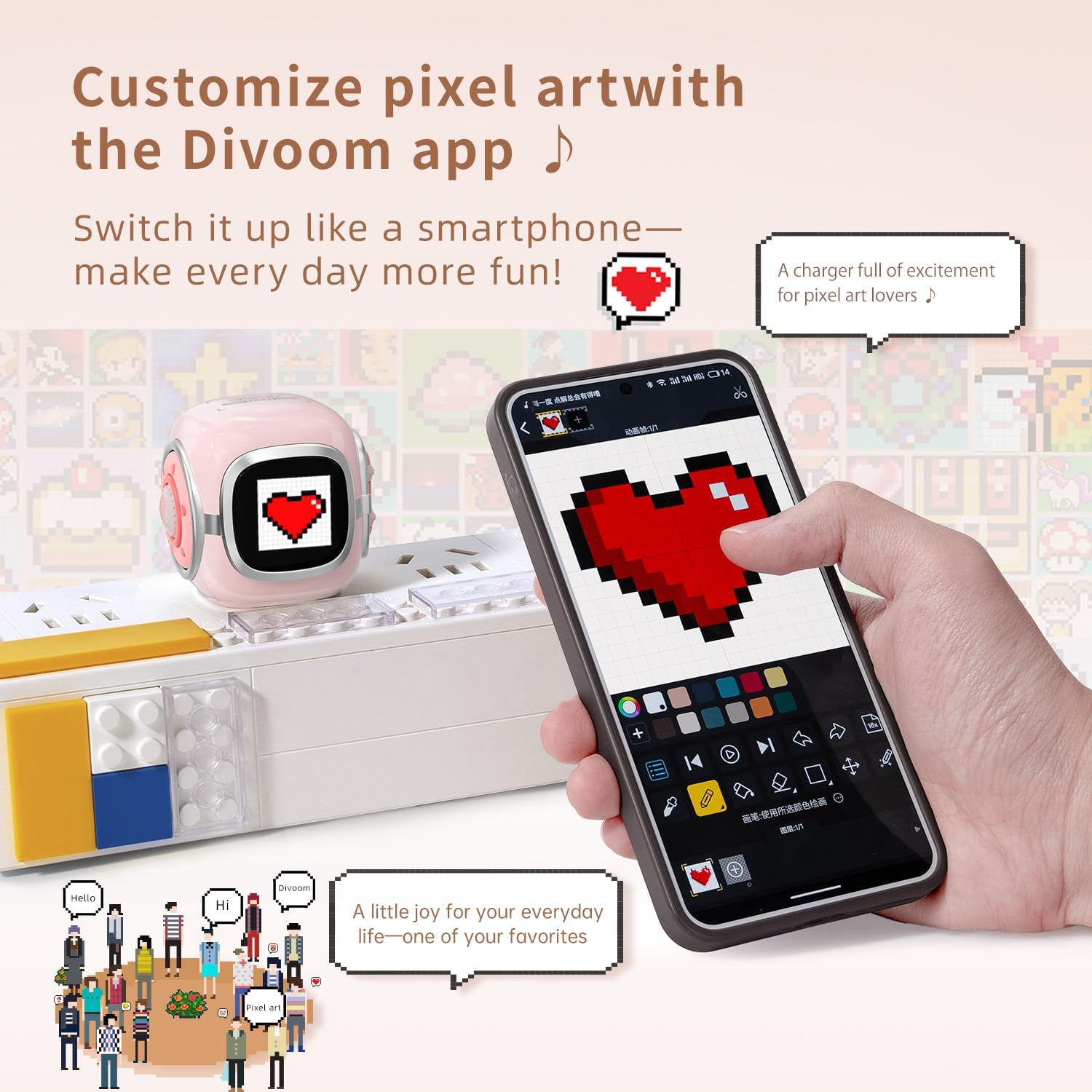
Image: The Divoom Dipow charger connected to a power strip, displaying pixel art, alongside a smartphone demonstrating the Divoom app's customization features.

Image: A visual comparison demonstrating the Divoom Dipow charger's 35W ultra-fast charging capability, achieving 56% charge in 30 minutes versus 20% with a typical charger.

Image: The Divoom Dipow charger demonstrating its compact size by fitting into a handbag and its foldable plug design when inserted into a wall outlet.
3. រៀបចំ
3.1 ការតភ្ជាប់ដំបូង
- ពន្លាដោត៖ Gently unfold the 90° foldable plug from the charger body.
- ដោតចូលទៅក្នុងព្រីភ្លើង៖ Insert the charger into a standard wall outlet. The pixel screen will light up upon connection.
- ភ្ជាប់ឧបករណ៍របស់អ្នក៖ Use a compatible USB-C charging cable (not included) to connect your device to the USB-C port on the charger. Ensure the connection is secure.
3.2 Divoom App Setup (for Pixel Screen Customization)
- ទាញយកកម្មវិធី៖ ស្វែងរក "Divoom" in your device's app store (iOS or Android) and download the official Divoom application.
- ផ្គូផ្គងតាមរយៈប៊្លូធូស៖ Open the Divoom app and follow the on-screen instructions to pair your smartphone with the Dipow 35W charger via Bluetooth. Ensure Bluetooth is enabled on your device.
- Access Customization: Once paired, you can access various customization options for the pixel screen, including pixel art, animations, and clock faces.
4. សេចក្តីណែនាំប្រតិបត្តិការ
4.1 ការសាកថ្មឧបករណ៍របស់អ្នក។
Once the charger is plugged into a power outlet and your device is connected via a USB-C cable, charging will begin automatically. The pixel screen may display charging status or a customized animation/clock face.
4.2 Customizing the Pixel Screen
The Divoom app provides extensive options for personalizing the pixel screen:
- វិចិត្រសាលសិល្បៈភីកសែល៖ Browse a vast community gallery of pixel art designs. Select a design to instantly display it on your charger's screen.
- Create Your Own: Use the app's design tools to create custom pixel art or animations. These can be uploaded to your charger in real-time.
- មុខនាឡិកា៖ Choose from a variety of dynamic clock faces to display time, date, and other information.
- ការកែតម្រូវពន្លឺ៖ Adjust the screen brightness through the app to suit your environment.
Video: A demonstration of the Divoom Dipow 35W charger's functions, including pixel screen customization and fast charging capabilities.
5. ការថែទាំ
- ការសម្អាត៖ Disconnect the charger from the power outlet before cleaning. Use a soft, dry cloth to wipe the surface. Avoid using liquid cleaners or abrasive materials.
- ការផ្ទុក៖ When not in use, fold the plug and store the charger in a cool, dry place away from direct sunlight and moisture.
- ការគ្រប់គ្រង៖ Avoid dropping the charger or subjecting it to strong impacts, as this may damage internal components or the pixel screen.
6. ការដោះស្រាយបញ្ហា
6.1 Charger Not Powering On / Screen Not Lighting Up
- Ensure the charger is securely plugged into a functional power outlet.
- Try plugging another device into the same outlet to confirm the outlet is working.
6.2 ឧបករណ៍មិនសាកថ្ម
- ផ្ទៀងផ្ទាត់ថាខ្សែ USB-C ត្រូវបានភ្ជាប់យ៉ាងត្រឹមត្រូវទៅទាំងឆ្នាំងសាក និងឧបករណ៍របស់អ្នក។
- សាកល្បងប្រើខ្សែ USB-C ផ្សេងដើម្បីកំចាត់ខ្សែដែលខូច។
- Ensure your device is compatible with USB-C charging and the charger's output specifications.
6.3 Divoom App Connectivity Issues
- Make sure Bluetooth is enabled on your smartphone and the charger is powered on.
- Restart the Divoom app and attempt to reconnect.
- If issues persist, try unpairing and re-pairing the charger through your phone's Bluetooth settings and the Divoom app.
7. លក្ខណៈបច្ចេកទេស
| លេខម៉ូដែល | Dipow-35 |
| ម៉ាក | Divoom |
| ថាមពលបញ្ចេញ | 35 វ៉ |
| ប្រភេទឧបករណ៍ភ្ជាប់ | USB ប្រភេទ C |
| ឧបករណ៍ដែលត្រូវគ្នា។ | Smartphones, Headphones, Tablets, Game Consoles (e.g., iPhone 16/16 Pro Max/16 Pro/15 Pro Max/15 Pro/15/14 Pro Max/14 Pro/14/13 Pro/13 Pro Max/13 Mini/13/12 Pro Max/12 Mini/12/11/11Pro/11Pro Max/X/XR/Xs/Xs Max/8/8 Plus/7/7/6/6S/Plus, iPad, iPad air/ 2, iPad mini 4 3 2 1, iPad Pro, Samsung Galaxy Note 20/10/S23/S24/S22 Ultra/S22+/S21/S20/Huawei, Xiaomi and other USB-C outlet devices) |
| លក្ខណៈពិសេស | Fast Charging, Pixel Screen, Foldable Plug |
| ពណ៌ | ផ្កាឈូក |
| បញ្ចូលវ៉ុលtage | 240 វ៉ុល |
| ទិន្នផលបច្ចុប្បន្ន | 3 Amps |
| ទិន្នផលវ៉ុលtage | 5 វ៉ុល |
| ទំងន់ធាតុ | 3.03 អោន |
| វិមាត្រកញ្ចប់ | 3.54 x 3.15 x 2.56 អ៊ីញ |
8. ព័ត៌មានសុវត្ថិភាព
- កុំដាក់ឆ្នាំងសាកទៅនឹងទឹក សំណើម ឬសីតុណ្ហភាពខ្លាំង។
- ជៀសវាងការរុះរើ ឬកែប្រែឆ្នាំងសាក។
- រក្សាឱ្យឆ្ងាយពីដៃកុមារ។
- ធានាឱ្យមានខ្យល់ចេញចូលត្រឹមត្រូវនៅពេលបញ្ចូលថ្មដើម្បីការពារកុំឱ្យឡើងកំដៅ។
- If the charger shows signs of damage, discontinue use immediately.
9. ការធានា និងការគាំទ្រ
The Divoom Dipow 35W GaN Fast Charger is covered by a manufacturer's warranty. For specific warranty terms, conditions, and customer support, please refer to the official Divoom webគេហទំព័រ ឬទាក់ទងសេវាកម្មអតិថិជនរបស់ពួកគេដោយផ្ទាល់។ សូមរក្សាភស្តុតាងនៃការទិញរបស់អ្នកសម្រាប់ការទាមទារធានា។