
VOLT PLUS TECH TG01
User Manual for VOLT PLUS TECH Portable Bluetooth Earbuds
ម៉ូដែល: TG01
សេចក្តីផ្តើម
This manual provides comprehensive instructions for the safe and efficient use of your VOLT PLUS TECH Portable Bluetooth Earbuds, Model TG01. Please read this manual thoroughly before using the product and retain it for future reference. These earbuds are designed for compatibility with devices such as the Samsung Galaxy M14, offering features like noise cancellation, an LED display, and a portable charging case with power bank functionality.
មាតិកាកញ្ចប់
- VOLT PLUS TECH Portable Bluetooth Earbuds (Left and Right)
- Portable Charging Case with Loop and LED Digital Display
- ខ្សែសាក USB-C
- សៀវភៅណែនាំអ្នកប្រើប្រាស់
- Two pairs of different size earbud tips (small, large)
ផលិតផលលើសview

Image: The VOLT PLUS TECH Portable Bluetooth Earbuds shown with their open charging case, revealing the earbuds inside and the digital LED display on the case.

Image: A close-up of the charging case's LED digital display, indicating battery levels for both the case and the earbuds.
The VOLT PLUS TECH earbuds feature a compact design with touch controls. The accompanying charging case is equipped with an intelligent LED display that shows the accurate power level of both the charging box and the earbuds. The case also includes a loop for convenient carrying or attachment.
- ក្រវិល៖ In-ear design, touch-sensitive controls, built-in microphone, noise cancellation.
- ករណីសាកថ្ម៖ Portable power bank functionality, USB-C charging port, LED digital display for battery status.
រៀបចំ
1. សាកថ្មកាស និងស្រោម
Before first use, fully charge the charging case and earbuds. Connect the USB-C charging cable to the charging case and a power source. The LED display on the case will indicate the charging progress. Once fully charged, the display will show 100%.
បើក / បិទថាមពល
- បើកថាមពល៖ Remove the earbuds from the charging case. They will automatically power on, indicated by a flashing blue light. Alternatively, press and hold the touch panel on each earbud for 3 seconds until the blue indicator light flashes.
- បិទថាមពល៖ ដាក់កាសស្តាប់ត្រចៀកទៅក្នុងប្រអប់សាកថ្មវិញ។ ពួកគេនឹងបិទដោយស្វ័យប្រវត្តិ ហើយចាប់ផ្តើមសាកថ្ម។
3. ប៊្លូធូសផ្គូរ

Image: A visual guide illustrating the quick pairing process for the earbuds, showing the earbuds and charging case.

Image: Depiction of the earbuds automatically connecting to a mobile device when removed from the case and shutting down when placed back in.
- Remove both earbuds from the charging case. They will automatically power on, and a blue light will indicate this.
- After powering on, you will hear voice prompts, and both earbuds will flash blue and red indicators alternatively.
- Wait until both earbuds pair with each other. Once paired, the left earbud will flash blue and red alternatively.
- You will hear a voice prompt "pairing," which means the earbuds are ready to pair. Enable Bluetooth on your mobile device and search for "JS25".
- Select "JS25" from the list of available devices. Once connected, the earbuds will prompt "Connected".
- Your earbuds will auto-connect to the previously paired device if Bluetooth is enabled when they are turned on.
- ប្រសិនបើអ្នកមិនអាចផ្គូផ្គងកាសស្តាប់ត្រចៀកទេសូមដាក់វាមកវិញក្នុងករណីហើយធ្វើម្តងទៀតនូវជំហានមុន ៗ ។
សេចក្តីណែនាំប្រតិបត្តិការ
ប៉ះវត្ថុបញ្ជា
កាសស្តាប់ត្រចៀកមានមុខងារបញ្ជាដោយប៉ះសម្រាប់មុខងារផ្សេងៗ៖
- លេង/ផ្អាក៖ ចុចមួយដងលើកាសទាំងពីរ។
- បទបន្ទាប់៖ ចុចពីរដងលើកាសស្តាប់ត្រចៀកខាងស្តាំ។
- បទពីមុន៖ ចុចពីរដងលើកាសស្តាប់ត្រចៀកខាងឆ្វេង។
- កម្រិតសំឡេងឡើង៖ ចុចបីដងនៅលើកាសត្រចៀកខាងស្តាំ។
- បរិមាណចុះក្រោម៖ ចុចបីដងនៅលើកាសខាងឆ្វេង។
- ឆ្លើយ/បញ្ចប់ការហៅទូរសព្ទ៖ ចុចមួយដងលើកាសស្តាប់ត្រចៀកទាំងពីរ កំឡុងពេលហៅចូល។
- បដិសេធការហៅទូរសព្ទ៖ ចុចឲ្យជាប់លើកាសម្ខាងៗរយៈពេល 2 វិនាទីអំឡុងពេលមានការហៅចូល។
- ធ្វើសកម្មភាពជំនួយការសម្លេង៖ ចុចឱ្យជាប់នៅលើកាសទាំងពីររយៈពេល 3 វិនាទី។
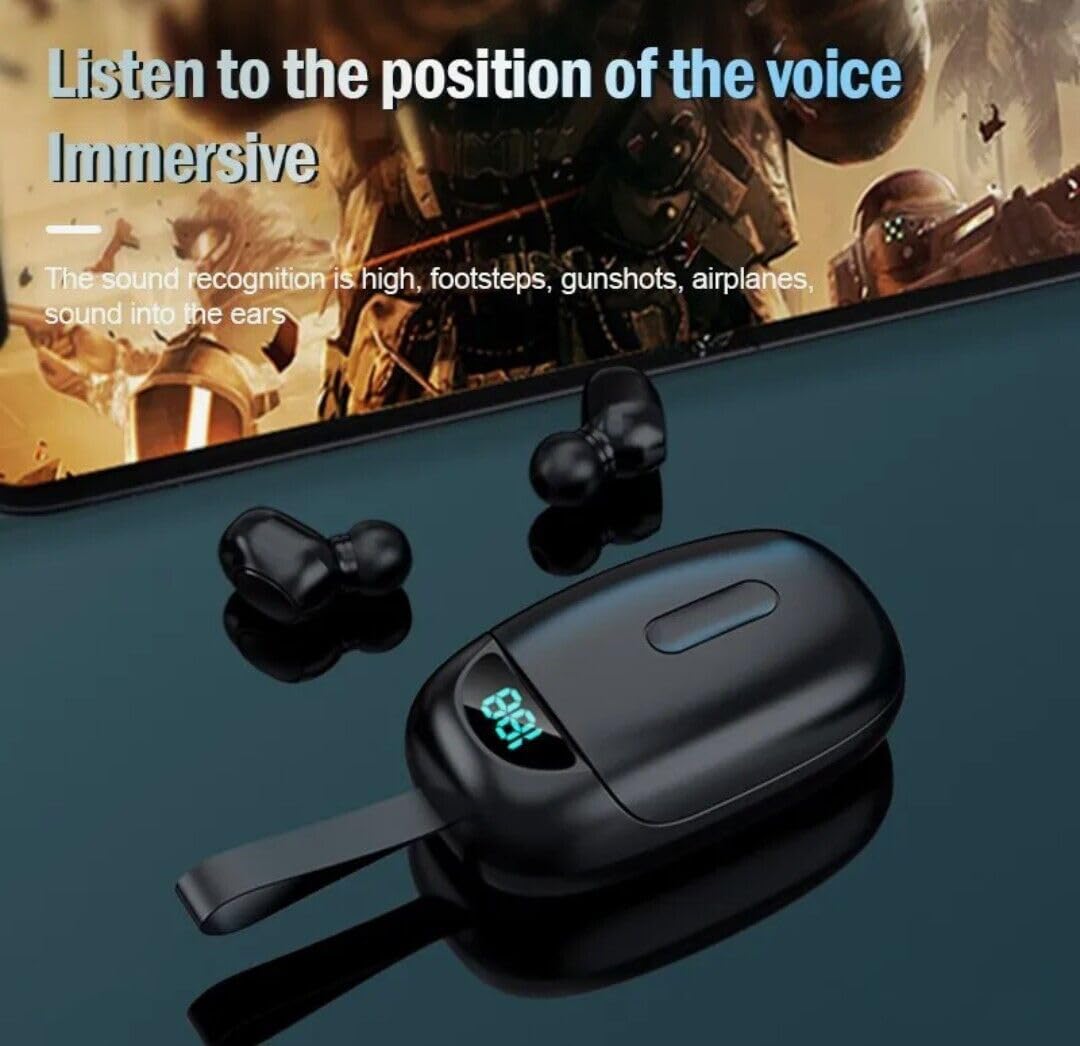
Image: Earbuds being used, illustrating the immersive audio experience and sound recognition capabilities.
ការលុបចោលសំលេងរំខាន
The earbuds utilize CVC 8.0 intelligent noise reduction technology to minimize ambient noise, providing clear audio for calls and music even in noisy environments. This feature is automatically active when the earbuds are in use.
មុខងារ Power Bank
The charging case has a built-in 2000mAh battery capacity, allowing it to not only charge the earbuds multiple times but also serve as a portable power bank for other small devices via its USB-C port. Connect your device to the USB-C port on the charging case to initiate charging.
ថែទាំ
- ការសម្អាត៖ សម្អាតកាស និងប្រអប់សាកថ្មជាប្រចាំដោយប្រើក្រណាត់ទន់ ស្ងួត និងគ្មានសរសៃ។ កុំប្រើសារធាតុគីមីដ៏គ្រោះថ្នាក់ ឬសម្ភារៈសំណឹក។ ត្រូវប្រាកដថាចំណុចភ្ជាប់សាកថ្មគ្មានធូលី និងកំទេចកំទី។
- ការផ្ទុក៖ នៅពេលមិនប្រើ សូមទុកកាសស្តាប់ត្រចៀកនៅក្នុងប្រអប់សាកថ្មរបស់ពួកគេ ដើម្បីការពារ និងរក្សាឱ្យពួកគេសាកថ្ម។ រក្សាទុកនៅកន្លែងត្រជាក់ និងស្ងួតឆ្ងាយពីពន្លឺព្រះអាទិត្យដោយផ្ទាល់ និងសីតុណ្ហភាពខ្លាំង។
- ធន់នឹងទឹក៖ The earbuds are IPX4 waterproof, meaning they are resistant to splashing water and sweat. They are suitable for outdoor sports and gym use. Note: The charging box is not waterproof. Avoid submerging the earbuds or exposing them to heavy rain.
ការដោះស្រាយបញ្ហា
| បញ្ហា | ដំណោះស្រាយ |
|---|---|
| កាសស្តាប់ត្រចៀកមិនបើកទេ។ | Ensure earbuds are charged. Place them in the charging case for a few minutes, then remove. |
| កាសស្តាប់ត្រចៀកមិនផ្គូផ្គងជាមួយឧបករណ៍ទេ។ |
|
| មានតែកាសស្តាប់ត្រចៀកមួយប៉ុណ្ណោះដែលដំណើរការ។ |
|
| កម្រិតសំឡេងទាប ឬគុណភាពសំឡេងខ្សោយ។ |
|
| ករណីសាកថ្មមិនសាក។ |
|
លក្ខណៈបច្ចេកទេស
| លក្ខណៈ | លម្អិត |
|---|---|
| ឈ្មោះម៉ូដែល | TG01 |
| ម៉ាក | បច្ចេកវិទ្យា VOLT PLUS |
| បច្ចេកវិទ្យាតភ្ជាប់ | ប៊្លូធូស 5.0 |
| ការគ្រប់គ្រងសំលេងរំខាន | Active Noise Cancellation (CVC 8.0) |
| កម្រិតធន់នឹងទឹក។ | IPX4 (សម្រាប់តែកាសស្តាប់ត្រចៀក) |
| ករណីសាកថ្ម សមត្ថភាពថ្ម | 2000 mAh |
| ពេលវេលាលេងសរុប (ជាមួយប្រអប់សាកថ្ម) | រហូតដល់ 24 ម៉ោង។ |
| ច្រកសាក | USB-C |
| ឧបករណ៍ដែលត្រូវគ្នា។ | Samsung Galaxy M14 and other Bluetooth-enabled devices |
| វិធីសាស្រ្តត្រួតពិនិត្យ | ប៉ះ |
| ពណ៌ | ខ្មៅ |
| វិមាត្រផលិតផល | 1 x 1.7 x 1.5 អ៊ីញ |
| ទំងន់ធាតុ | 4 អោនស៍ |
| កត្តាទម្រង់ | នៅក្នុងត្រចៀក |
ការធានា និងការគាំទ្រ
For warranty information and technical support, please refer to the contact details provided with your purchase or visit the official VOLT PLUS TECH webគេហទំព័រ។ រក្សាភស្តុតាងនៃការទិញរបស់អ្នកសម្រាប់ការទាមទារធានា។
Ask a question about this manual
Ask about setup, troubleshooting, compatibility, parts, safety, or missing instructions. Manuals+ will review the question and use this page’s manual context to help answer it.