
Groov-e GVBT750BK
Groov-e Ultra Wireless Bluetooth Headphones Instruction Manual GVBT750BK
សេចក្តីផ្តើម
អរគុណសម្រាប់ការទិញasing the Groov-e Ultra Wireless Bluetooth Headphones. These headphones are designed to provide a superior audio experience with features such as wireless connectivity, extended battery life, and comfortable design. This manual will guide you through the setup, operation, and maintenance of your new headphones.
មាតិកាកញ្ចប់
Please ensure all items are present in your Groov-e Ultra headphone package:
- Groov-e Ultra Wireless Bluetooth Headphones
- ខ្សែសាក USB
- ខ្សែអូឌីយ៉ូ 3.5mm
- សៀវភៅណែនាំអ្នកប្រើ (ឯកសារនេះ)
ផលិតផលលើសview
Familiarize yourself with the various components of your Groov-e Ultra headphones.
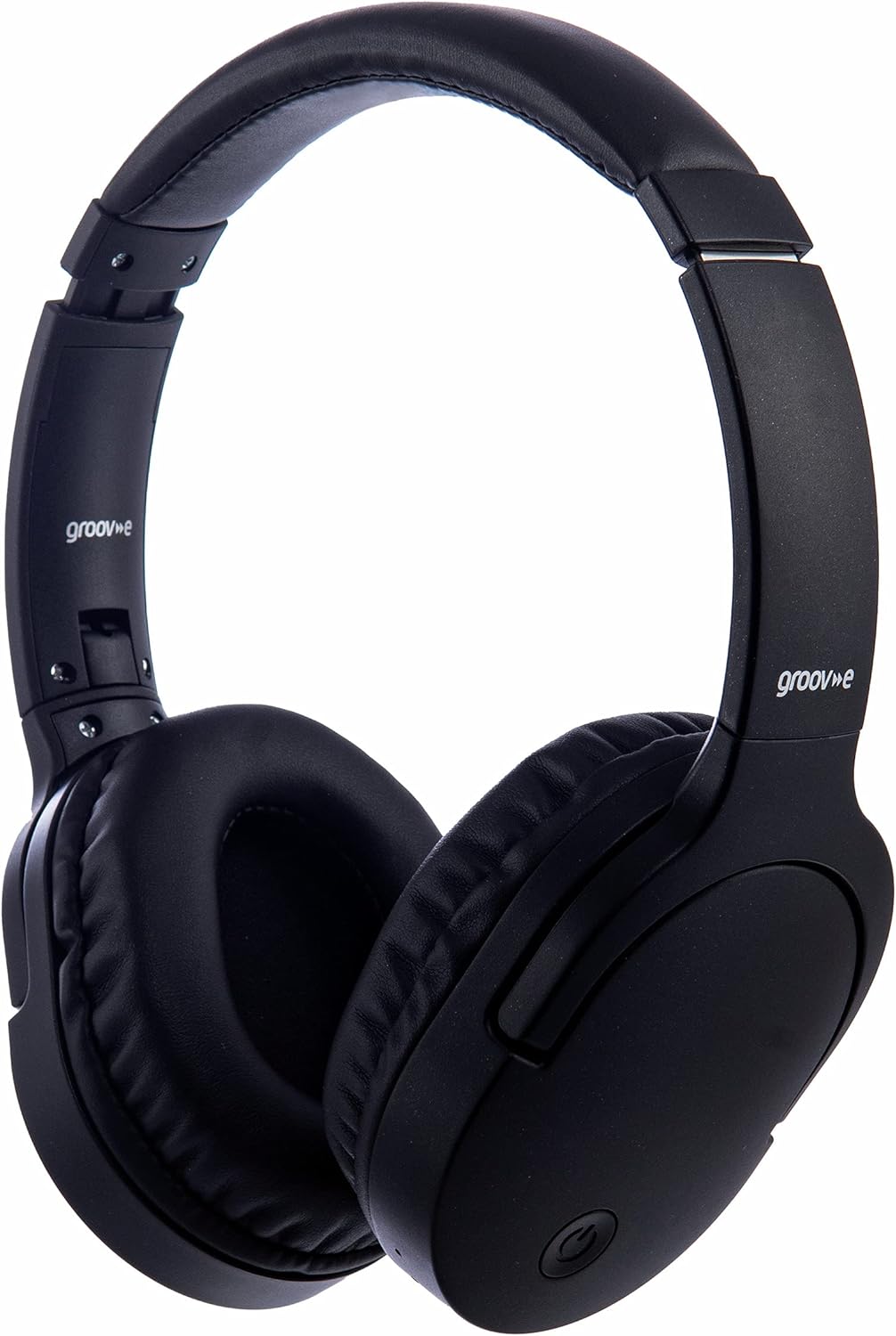
រូបភាព៖ ខាងមុខ view of the Groov-e Ultra Wireless Bluetooth Headphones in black.
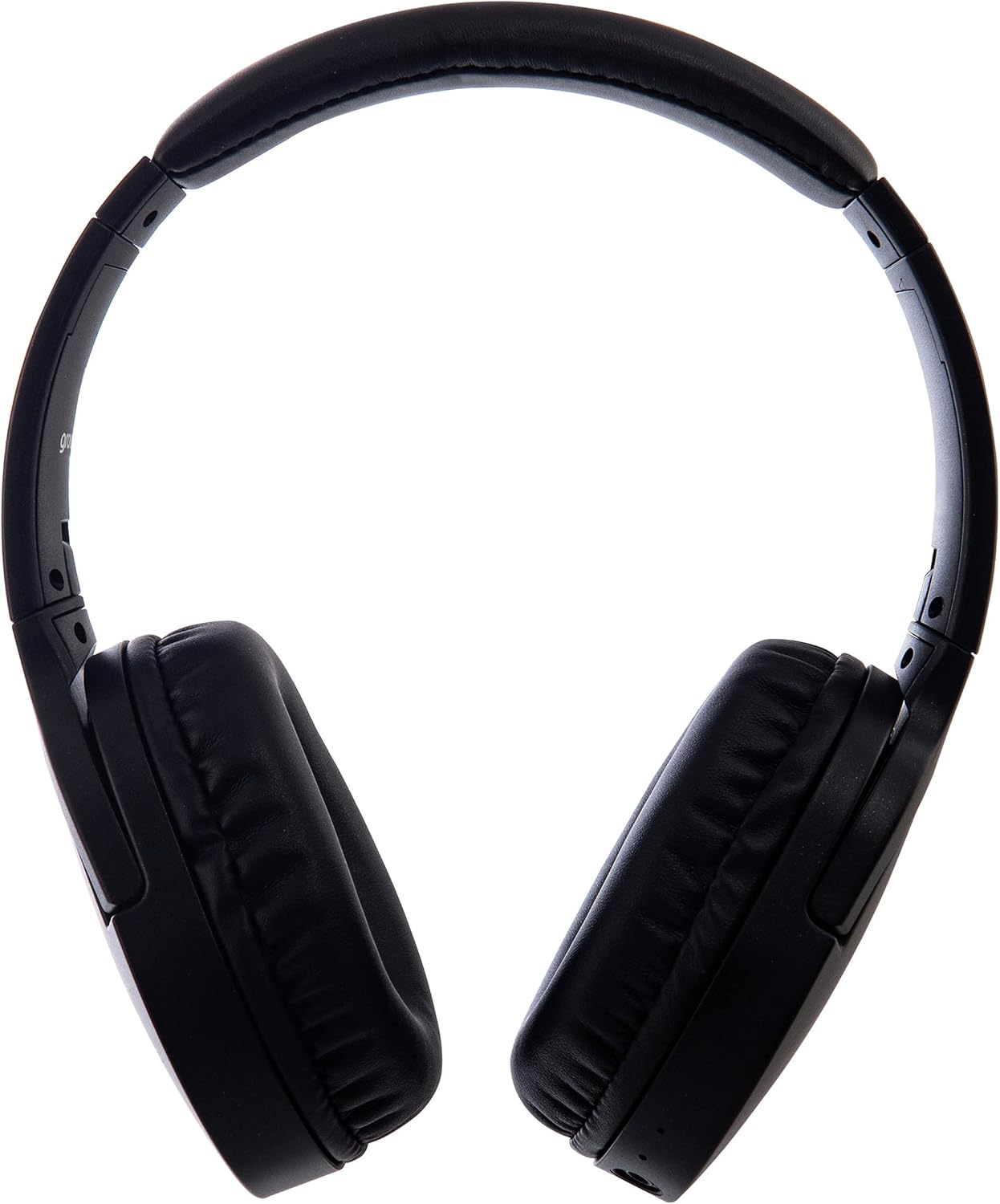
រូបភាព៖ ចំហៀង view of the Groov-e Ultra Wireless Bluetooth Headphones, showing the earcups and headband.
Key features and controls include:
- ប៊ូតុងថាមពល៖ Located on the earcup, used for powering on/off and initiating pairing mode.
- ការត្រួតពិនិត្យកម្រិតសំឡេង៖ Buttons for adjusting audio volume.
- ប៊ូតុងពហុមុខងារ៖ For play/pause, answer/end calls, and activating voice assistant.
- មីក្រូហ្វូន៖ រួមបញ្ចូលសម្រាប់ការហៅទូរសព្ទដោយមិនប្រើដៃ។
- 3.5mm Audio Jack៖ សម្រាប់ការតភ្ជាប់ខ្សែទៅប្រភពអូឌីយ៉ូ។
- រន្ធសាកយូអេសប៊ី៖ For charging via the included USB cable.
- Wireless Charging Area: Located on the right earcup for compatible wireless charging pads.
- សូចនាករ LED៖ បង្ហាញស្ថានភាពថាមពល ការសាកថ្ម និងការភ្ជាប់ប៊្លូធូស។
រៀបចំ
៤.៣. ការបញ្ចូលថ្មដំបូង
Before first use, fully charge your headphones. The Groov-e Ultra headphones support both wired and wireless charging.
ការសាកថ្មតាមខ្សែ៖
- Connect the supplied USB charging cable to the headphone's charging port.
- ភ្ជាប់ចុងម្ខាងទៀតនៃខ្សែ USB ទៅប្រភពថាមពល USB ដែលត្រូវគ្នា (ឧ. រន្ធ USB កុំព្យូទ័រ, អាដាប់ទ័រជញ្ជាំង USB) ។
- សូចនាករ LED នឹងភ្លឺអំឡុងពេលសាកថ្ម ហើយនឹងរលត់ ឬផ្លាស់ប្តូរពណ៌នៅពេលសាកថ្មពេញ។
ការសាកឥតខ្សែ៖
- Place the right earcup of the headphones onto a compatible Qi-certified wireless charging pad.
- Ensure the headphones are correctly positioned on the charging pad for optimal contact.
- សូចនាករ LED នឹងភ្លឺអំឡុងពេលសាកថ្ម ហើយនឹងរលត់ ឬផ្លាស់ប្តូរពណ៌នៅពេលសាកថ្មពេញ។
ការសាកថ្មពេញជាធម្មតាចំណាយពេលប្រហែល 2 ម៉ោង។.
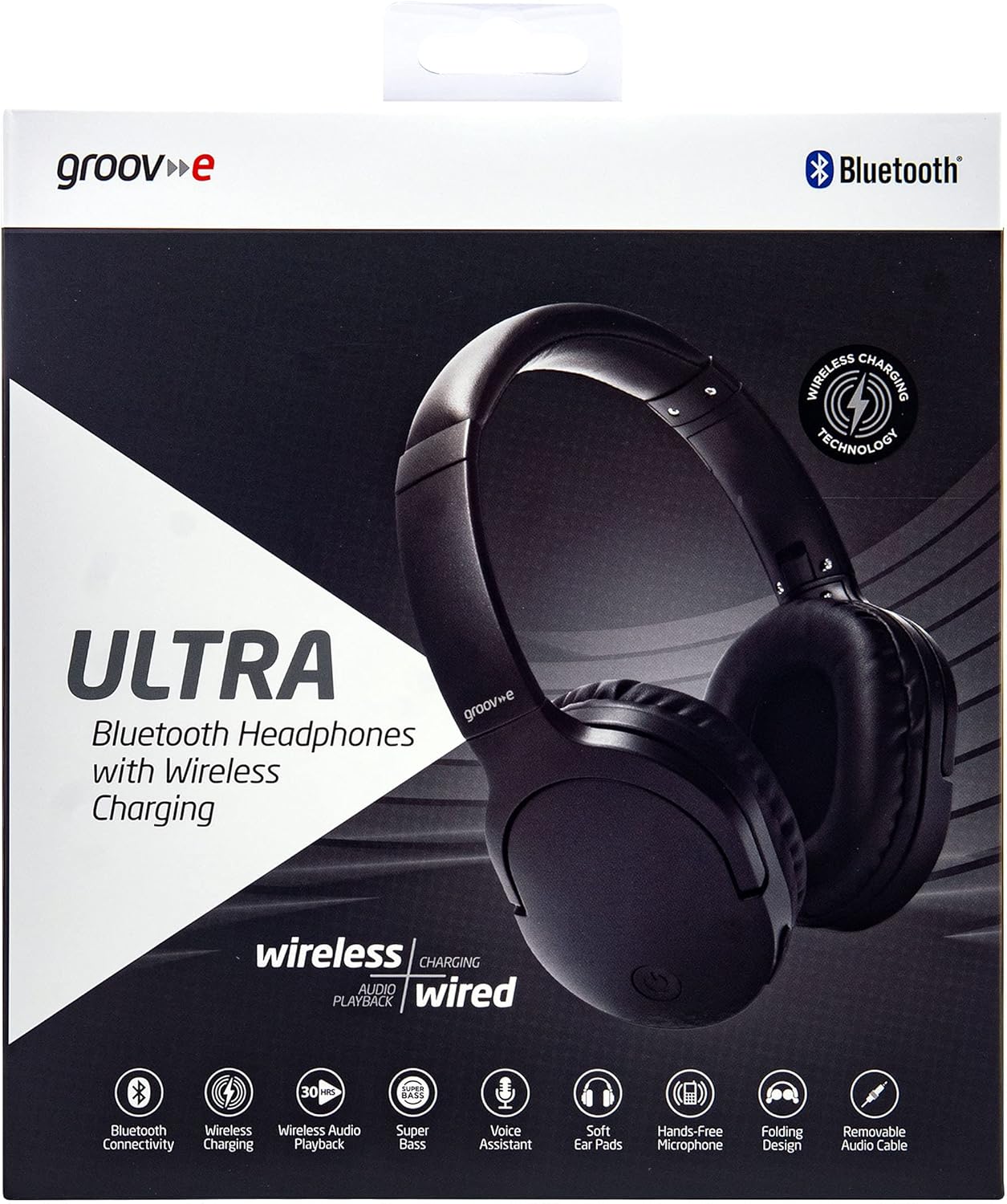
Image: Groov-e Ultra headphones charging wirelessly on a pad, with a laptop in the background.
សេចក្តីណែនាំប្រតិបត្តិការ
1. បើក/បិទថាមពល
- បើកថាមពល៖ Press and hold the Power button for approximately 3 seconds until the LED indicator flashes.
- បិទថាមពល៖ Press and hold the Power button for approximately 3-5 seconds until the LED indicator turns off.
2. ប៊្លូធូសផ្គូរ
- ត្រូវប្រាកដថាកាសត្រូវបានបិទ។
- ចុចឱ្យជាប់ប៊ូតុងថាមពលប្រហែល 5-7 វិនាទីរហូតដល់សូចនាករ LED ភ្លឹបភ្លែតៗពណ៌ក្រហម និងខៀវឆ្លាស់គ្នា ដែលបង្ហាញពីរបៀបផ្គូផ្គង។
- នៅលើឧបករណ៍របស់អ្នក (ស្មាតហ្វូន ថេប្លេត កុំព្យូទ័រយួរដៃ) បើកប៊្លូធូស ហើយស្វែងរកឧបករណ៍ដែលមាន។
- Select "Groov-e Ultra" from the list of found devices.
- នៅពេលភ្ជាប់រួច សូចនាករ LED នឹងភ្លឹបភ្លែតៗពណ៌ខៀវយឺតៗ ហើយអ្នកប្រហែលជាឮសំឡេងបញ្ជាក់។
- ប្រសិនបើត្រូវបានសួររកពាក្យសម្ងាត់ សូមបញ្ចូល "0000" ។
កាសនឹងព្យាយាមភ្ជាប់ឡើងវិញដោយស្វ័យប្រវត្តិទៅឧបករណ៍ដែលបានផ្គូផ្គងចុងក្រោយនៅពេលបើកថាមពល។
៤. ការតភ្ជាប់ខ្សែ (ខ្សែអូឌីយ៉ូ 3.5mm)
For devices without Bluetooth or to conserve battery, you can use the supplied 3.5mm audio cable.
- ភ្ជាប់ចុងម្ខាងនៃខ្សែអូឌីយ៉ូ 3.5 ម.ម ទៅនឹងរន្ធដោតអូឌីយ៉ូនៅលើកាស។
- ភ្ជាប់ចុងម្ខាងទៀតទៅនឹងរន្ធអូឌីយ៉ូ 3.5mm នៃឧបករណ៍របស់អ្នក។
- The headphones will operate in passive mode, and Bluetooth functionality will be disabled.
4. ការចាក់តន្ត្រីឡើងវិញ
- លេង/ផ្អាក៖ ចុចប៊ូតុងពហុមុខងារម្តង។
- បទបន្ទាប់៖ ចុចឲ្យជាប់ប៊ូតុងបង្កើនសំឡេង។
- បទមុន៖ ចុចឱ្យជាប់ប៊ូតុងកម្រិតសំឡេងចុះក្រោម។
- កម្រិតសំឡេងឡើង៖ ចុចប៊ូតុងកម្រិតសំឡេងឡើងមួយភ្លែត។
- បរិមាណចុះក្រោម៖ ចុចប៊ូតុងបន្ថយសំឡេងមួយសន្ទុះ។
5. ការគ្រប់គ្រងការហៅទូរស័ព្ទ
- ឆ្លើយ/បញ្ចប់ការហៅទូរសព្ទ៖ ចុចប៊ូតុងពហុមុខងារម្តង។
- បដិសេធការហៅទូរសព្ទ៖ ចុចឱ្យជាប់ប៊ូតុងពហុមុខងាររយៈពេល 2 វិនាទី។
- ជំនួយការសម្លេង៖ Double-press the Multi-function button to activate your device's voice assistant (e.g., Siri, Google Assistant).
ថែទាំ
To ensure the longevity and optimal performance of your Groov-e Ultra headphones, follow these maintenance guidelines:
- ការសម្អាត៖ Use a soft, dry cloth to clean the earcups and headband. Do not use abrasive cleaners or solvents.
- ការផ្ទុក៖ ពេលមិនប្រើ សូមទុកកាសស្តាប់ត្រចៀកនៅកន្លែងត្រជាក់ស្ងួត ឆ្ងាយពីពន្លឺព្រះអាទិត្យដោយផ្ទាល់ និងសីតុណ្ហភាពខ្លាំង។ ការរចនាដែលអាចបត់បានអនុញ្ញាតឱ្យមានទំហំផ្ទុកតូច។
- ការថែរក្សាថ្ម៖ ដើម្បីរក្សាអាយុកាលថ្ម សូមជៀសវាងការសាកថ្មកាសស្តាប់ត្រចៀកឱ្យអស់ថាមពលញឹកញាប់។ សាកថ្មវាឱ្យបានទៀងទាត់ ទោះបីជាមិនបានប្រើប្រាស់ជាប្រចាំក៏ដោយ។
- ធន់នឹងទឹក៖ The headphones are rated as "waterproof" (as per specifications), but this typically refers to resistance against splashes or light rain. Avoid submerging them in water.
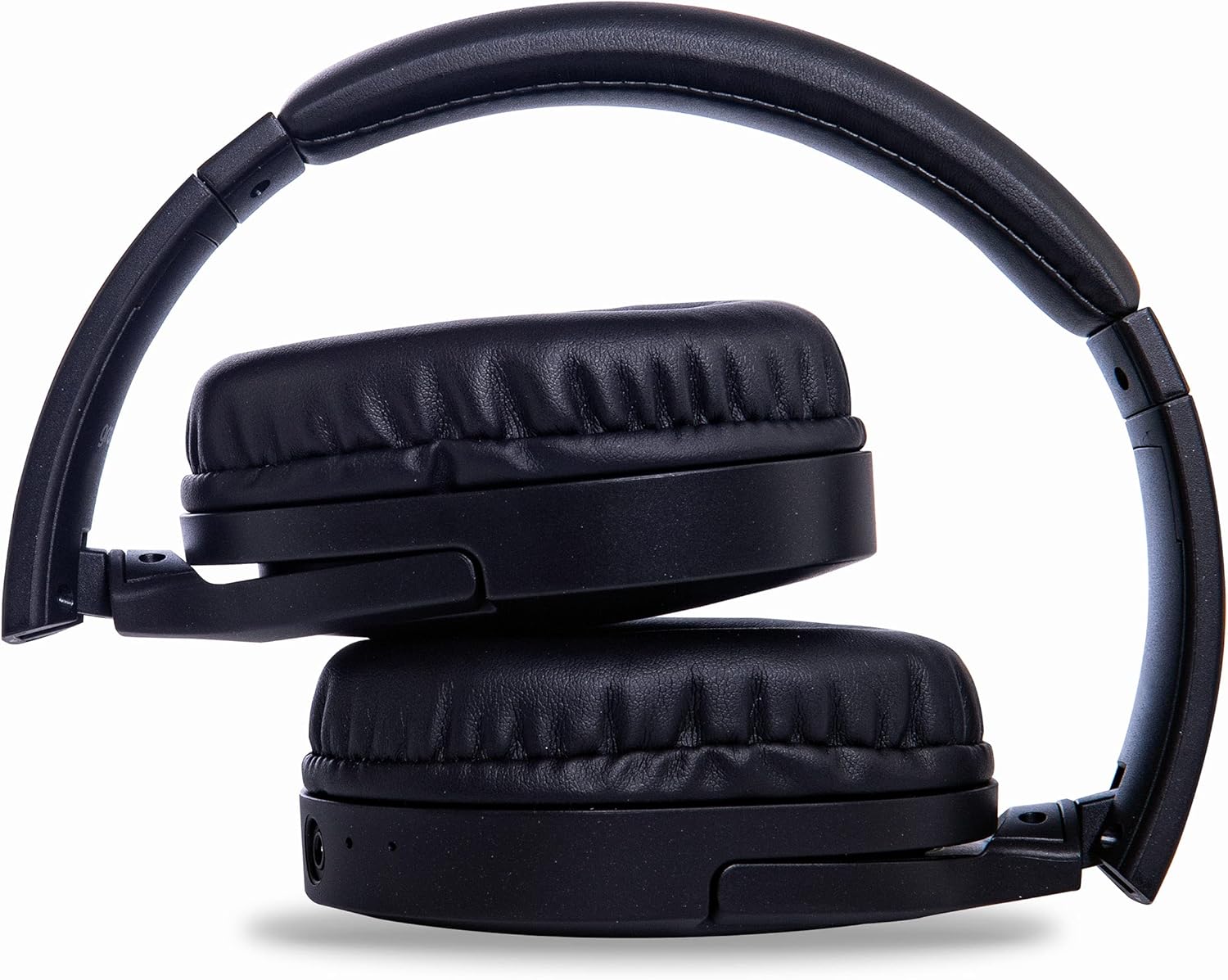
Image: Groov-e Ultra headphones folded, demonstrating their compact storage design.
ការដោះស្រាយបញ្ហា
ប្រសិនបើអ្នកជួបប្រទះបញ្ហាជាមួយកាសរបស់អ្នក សូមមើលដំណោះស្រាយទូទៅខាងក្រោម៖
| បញ្ហា | មូលហេតុដែលអាចកើតមាន | ដំណោះស្រាយ |
|---|---|---|
| កាសមិនបើកទេ។ | ថ្មទាប។ | Charge the headphones fully using either wired or wireless charging. |
| មិនអាចផ្គូផ្គងតាមរយៈប៊្លូធូស។ | កាសមិនស្ថិតនៅក្នុងរបៀបផ្គូផ្គងទេ។ ប៊្លូធូសរបស់ឧបករណ៍ត្រូវបានបិទ។ មានការរំខាន។ | Ensure headphones are in pairing mode (flashing red/blue). Turn Bluetooth off and on on your device. Move closer to the device. |
| គ្មានសំឡេង ឬគុណភាពសំឡេងខ្សោយ។ | Volume too low; incorrect source; loose wired connection; Bluetooth interference. | Increase volume on headphones and device. Check if the correct audio output is selected. Ensure 3.5mm cable is fully inserted. Re-pair Bluetooth. |
| ការសាកឥតខ្សែមិនដំណើរការទេ។ | Headphones not positioned correctly; incompatible charging pad. | Adjust headphone position on the charging pad. Ensure the charging pad is Qi-certified and functioning. |
| Buzzing or too loud on Bluetooth. | Bluetooth signal issue; volume settings. | Try moving closer to the source device. Adjust volume levels on both the headphones and the connected device. |
| Cannot connect to Apple Mac Book Pro. | Compatibility issue or specific Bluetooth driver problem. | Ensure your Mac's Bluetooth drivers are up to date. Try resetting Bluetooth on your Mac. Consult Apple support or Groov-e support for specific compatibility advice. |
លក្ខណៈបច្ចេកទេស
| លក្ខណៈ | លម្អិត |
|---|---|
| ឈ្មោះម៉ូដែល | ជ្រុល |
| លេខម៉ូដែល | GVBT750BK |
| ម៉ាក | ហ្គ្រូវ - អ៊ី |
| បច្ចេកវិទ្យាតភ្ជាប់ | ឥតខ្សែ (ប៊្លូធូស) |
| បច្ចេកវិទ្យាទំនាក់ទំនងឥតខ្សែ | ប៊្លូធូស |
| កត្តាទម្រង់ | Supra-Aural (Over-ear) |
| ការដាក់ត្រចៀក | Supra-auriculaire |
| ភាពឯកោនៃសំលេងរំខាន | ការទប់ស្កាត់សំលេងរំខានសកម្ម |
| រន្ធដោតកាស | ជែក ៣.៥ ម។ ម |
| លក្ខណៈពិសេស | Microphone included, Sweat resistant |
| អាយុកាលថ្ម | Up to 30 hours (wireless audio playback) |
| ពេលវេលាសាកថ្ម | ប្រហែល 2 ម៉ោង។ |
| វិធីសាស្រ្តត្រួតពិនិត្យ | Tactile (Touch) |
| ជួរប្រេកង់ | 20 Hz - 20,000 Hz (Possible) |
| កម្រិតធន់នឹងទឹក។ | មិនជ្រាបទឹក។ |
| ឧបករណ៍ដែលត្រូវគ្នា។ | Smartphones, laptops, tablets, car audio systems, music production equipment, televisions |
| សម្ភារៈ | ស្បែក |
ព័ត៌មានសុវត្ថិភាព
Please read and follow these safety guidelines to prevent damage to your headphones or personal injury:
- Do not expose headphones to extreme temperatures, humidity, or corrosive environments.
- ជៀសវាងការទម្លាក់ ឬដាក់កាសស្តាប់ទៅនឹងផលប៉ះពាល់ខ្លាំង។
- កុំព្យាយាមរុះរើ ឬកែប្រែកាសស្តាប់ត្រចៀក។ ការធ្វើបែបនេះនឹងធ្វើឱ្យការធានាមិនមានសុពលភាព។
- ទុកអោយឆ្ងាយពីកុមារ និងសត្វចិញ្ចឹម។
- ការស្តាប់រយៈពេលយូរក្នុងកម្រិតសំឡេងខ្ពស់អាចបណ្តាលឱ្យខូចខាតដល់ការស្តាប់។ សូមកែសម្រួលកម្រិតសំឡេងទៅកម្រិតសុវត្ថិភាព។
- Exercise caution when using headphones in situations requiring awareness of your surroundings (e.g., driving, cycling, walking in traffic).
- Use only approved charging cables and power adapters.
ការធានា និងការគាំទ្រ
Groov-e products are designed and manufactured to the highest standards. For warranty information, please refer to the warranty card included with your purchase or visit the official Groov-e webគេហទំព័រ។
For technical support, troubleshooting assistance, or general inquiries, please contact Groov-e customer service through their official channels. Contact details can typically be found on the product packaging or the Groov-e webគេហទំព័រ។
ការគាំទ្រតាមអ៊ីនធឺណិត៖ www.groov-e.co.uk/support
Ask a question about this manual
Ask about setup, troubleshooting, compatibility, parts, safety, or missing instructions. Manuals+ will review the question and use this page’s manual context to help answer it.