
សេចក្តីផ្តើម
This manual provides instructions for the ZdalaMit AH59-02692E replacement remote control. This remote is designed to be compatible with various Samsung Soundbar models, offering a direct replacement without the need for complex programming. Please read this manual carefully to ensure proper use and longevity of your remote control.
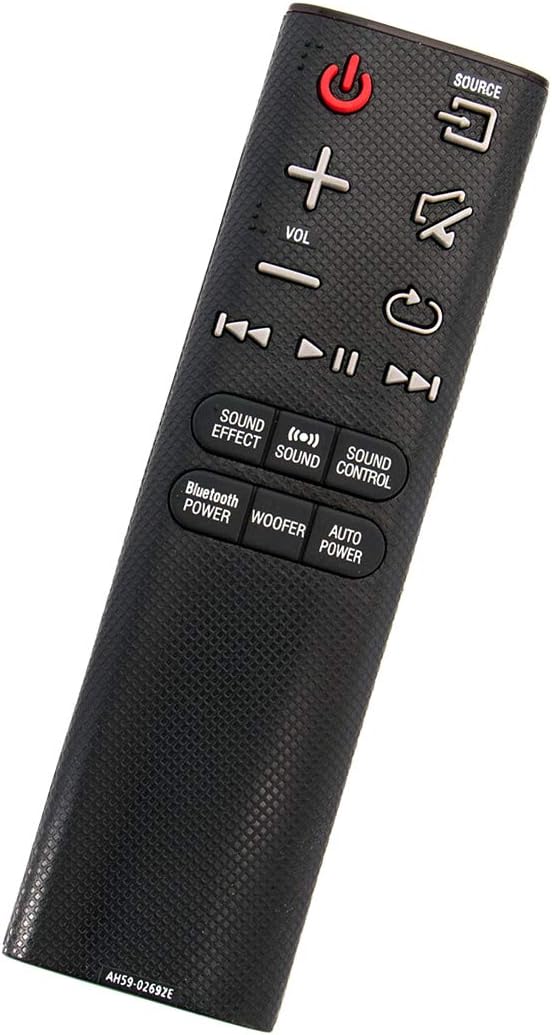
មុំ view of the ZdalaMit AH59-02692E replacement remote control, showing its ergonomic design.
រៀបចំ
The ZdalaMit AH59-02692E remote control requires no programming or pairing. Simply insert the batteries, and it will be ready for use with your compatible Samsung Soundbar.
ការដំឡើងថ្ម
- កំណត់ទីតាំងប្រអប់ថ្មនៅខាងក្រោយឧបករណ៍បញ្ជាពីចម្ងាយ។
- រុញគម្របថ្មចុះក្រោម ដើម្បីបើកវា។
- Insert two (2) 1.5V AAA alkaline batteries, ensuring the positive (+) and negative (-) terminals match the diagrams inside the compartment.
- រុញគម្របថ្មទៅកន្លែងវិញរហូតទាល់តែវាចុចដោយសុវត្ថិភាព។
ចំណាំ៖ Batteries are not included with the remote control. Always use new AAA alkaline batteries for optimal performance.
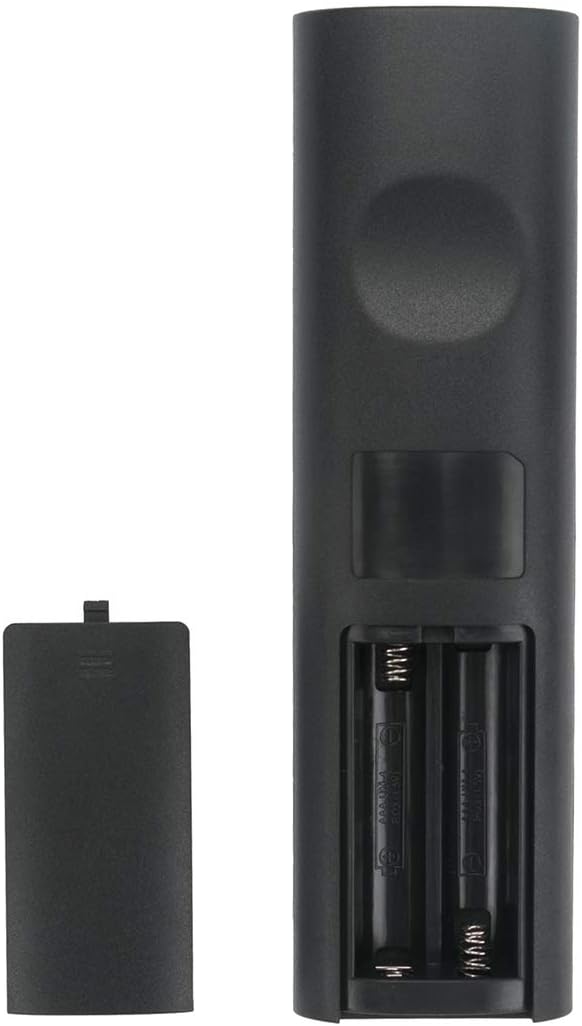
ត្រឡប់មកវិញ view of the remote control with the battery compartment open, showing where to insert batteries.
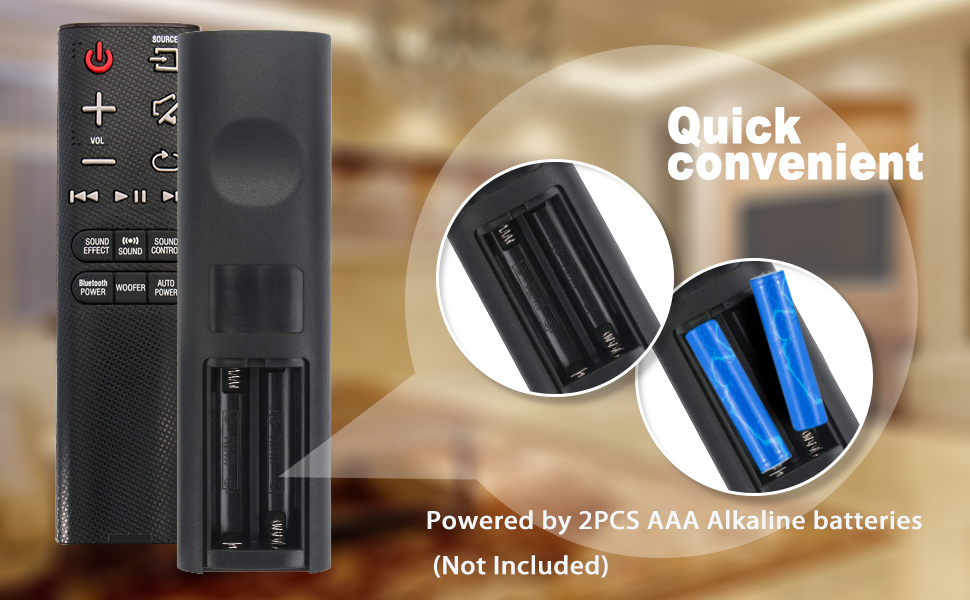
Illustration showing the correct way to insert two AAA batteries into the remote control's battery compartment.
សេចក្តីណែនាំប្រតិបត្តិការ
Once batteries are installed, the remote is ready to control your compatible Samsung Soundbar. Ensure there is a clear line of sight between the remote control and the soundbar's infrared receiver.

ខាងមុខ view of the ZdalaMit AH59-02692E remote control, displaying all functional buttons.
មុខងារប៊ូតុង
- ថាមពល (ប៊ូតុងក្រហម)៖ បើកឬបិទរបារសំឡេង។
- ប្រភព៖ Cycles through available input sources (e.g., D.IN, BT, HDMI, AUX).
- វ៉ុល (+/-)៖ លៃតម្រូវកម្រិតសំឡេងមេ។
- បិទសំឡេង៖ បិទ ឬបិទសំឡេង។
- ត្រឡប់/ថយក្រោយ៖ Navigates back in menus or previous track.
- លេង/ផ្អាក៖ គ្រប់គ្រងការចាក់មេឌៀ។
- Skip (Forward/Backward): រំលងទៅបទបន្ទាប់ ឬបទមុន។
- ប្រសិទ្ធភាពសំឡេង៖ Cycles through various sound effects/modes.
- សំឡេង៖ Adjusts specific sound settings.
- ការគ្រប់គ្រងសំឡេង៖ Accesses advanced sound settings.
- BLUETOOTH POWER: បើកដំណើរការ ឬបិទដំណើរការថាមពលប៊្លូធូស។
- WOOFER៖ លៃតម្រូវកម្រិតឧបករណ៍បំពងសំឡេង។
- ថាមពលស្វ័យប្រវត្តិ៖ បិទ/បើកមុខងារថាមពលដោយស្វ័យប្រវត្តិ។
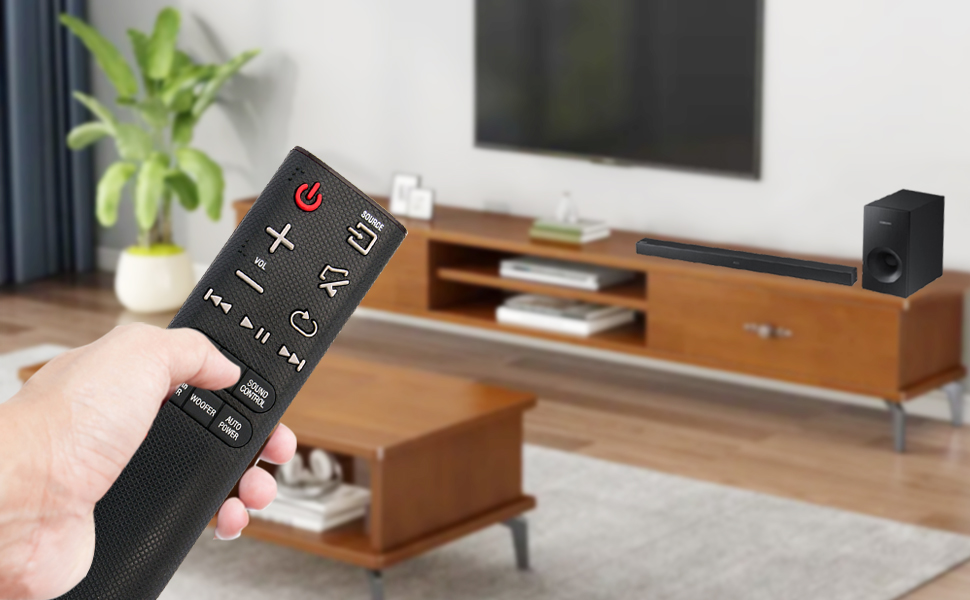
A user operating the remote control with a Samsung Soundbar and television in a home environment.
ថែទាំ
ការថែទាំត្រឹមត្រូវធានាបាននូវភាពជាប់បានយូរ និងប្រតិបត្តិការដែលអាចទុកចិត្តបាននៃការបញ្ជាពីចម្ងាយរបស់អ្នក។
ការជំនួសថ្ម
សូមជំនួសថ្មនៅពេលដែលការឆ្លើយតបរបស់ឧបករណ៍បញ្ជាពីចម្ងាយមានល្បឿនយឺត ឬឈប់ដំណើរការ។ តែងតែជំនួសថ្ម AAA ទាំងពីរក្នុងពេលតែមួយជាមួយនឹងថ្មថ្មី។ កុំលាយថ្មចាស់ និងថ្មថ្មី ឬថ្មប្រភេទផ្សេងៗគ្នា។
ការសម្អាត
To clean the remote, gently wipe it with a soft, dry cloth. Do not use liquid cleaners, sprays, or abrasive materials, as these can damage the remote's surface or internal components.
ការផ្ទុក
Store the remote control in a cool, dry place away from direct sunlight and extreme temperatures. If the remote will not be used for an extended period, remove the batteries to prevent leakage and potential damage.
ការដោះស្រាយបញ្ហា
ប្រសិនបើអ្នកជួបប្រទះបញ្ហាជាមួយឧបករណ៍បញ្ជាពីចម្ងាយរបស់អ្នក សូមមើលដំណោះស្រាយទូទៅដូចខាងក្រោម៖
- ពីចម្ងាយមិនឆ្លើយតប៖
- ពិនិត្យមើលថាតើថ្មត្រូវបានបញ្ចូលត្រឹមត្រូវជាមួយនឹងបន្ទាត់រាងប៉ូលត្រឹមត្រូវ។
- ជំនួសថ្មចាស់ជាមួយថ្មអាល់កាឡាំង 1.5V AAA ថ្មី។
- ត្រូវប្រាកដថាមិនមានឧបសគ្គរវាងឧបករណ៍បញ្ជាពីចម្ងាយ និងឧបករណ៍ទទួលអ៊ីនហ្វ្រារ៉េដរបស់របារសំឡេងទេ។
- សូមបញ្ជាក់ថាឧបករណ៍បញ្ជាពីចម្ងាយត្រូវបានចង្អុលទៅរបារសំឡេងដោយផ្ទាល់។
- ជួរមានកំណត់៖
- ត្រូវប្រាកដថាថ្មនៅថ្មី។ ថ្មខ្សោយអាចកាត់បន្ថយជួរប្រសិទ្ធភាពនៃឧបករណ៍បញ្ជាពីចម្ងាយ។
- យកវត្ថុណាមួយដែលអាចរារាំងផ្លូវសញ្ញាចេញ។
- មុខងារមិនត្រឹមត្រូវ៖
- This remote is pre-programmed for compatible Samsung Soundbars. If functions are incorrect, verify your soundbar model is listed as compatible.
លក្ខណៈបច្ចេកទេស
| លក្ខណៈ | លម្អិត |
|---|---|
| ម៉ាក | ZdalaMit |
| ឈ្មោះម៉ូដែល | AH59-02692E |
| លេខម៉ូដែល | AH59-02692E-ZDLMT |
| ឧបករណ៍ដែលត្រូវគ្នា។ | Samsung Soundbars (HW-J355, HW-J450, HW-J460, HW-J550, HW-J551, HW-J6000, HW-J6001, HW-JM35, HW-JM45, HW-JM45C, HW-JM6000, HW-JM6000C, HW-J430, etc.) |
| បច្ចេកវិទ្យាតភ្ជាប់ | អ៊ីនហ្វ្រារ៉េដ |
| ការផ្គត់ផ្គង់ថាមពល | ថ្មអាល់កាឡាំង AAA ទំហំ 1.5V ចំនួន 2 គ្រាប់ |
| ជួរអតិបរមា | 33 ហ្វីត (ប្រហែល 10 ម៉ែត្រ) |
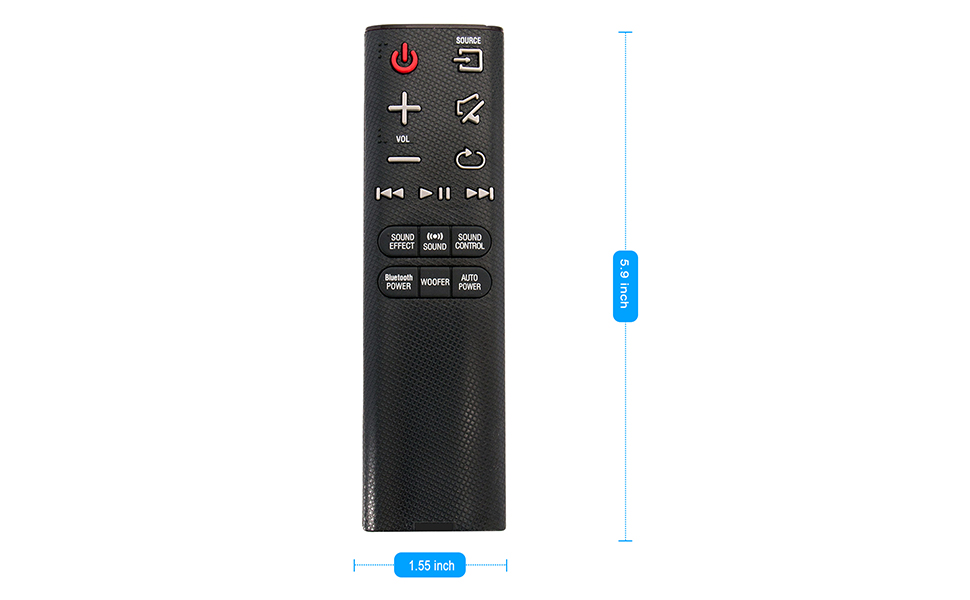
| វិមាត្រធាតុ (L x W x H) | 5.9 "x 1.55" x 0.5" |
| លក្ខណៈពិសេស | កម្មវិធីជាមុន |
Visual representation of the remote control's dimensions (length and width).
ព័ត៌មានធានា
This ZdalaMit remote control comes with a ការធានារយៈពេល 1 ឆ្នាំ។ ចាប់ពីថ្ងៃទិញ។ ការធានានេះគ្របដណ្តប់លើពិការភាពផលិតកម្មក្រោមការប្រើប្រាស់ធម្មតា។ វាមិនគ្របដណ្តប់លើការខូចខាតដែលបណ្តាលមកពីការប្រើប្រាស់ខុស គ្រោះថ្នាក់ ការកែប្រែដោយគ្មានការអនុញ្ញាត ឬការលេចធ្លាយថ្មទេ។
គាំទ្រ
For any questions, concerns, or assistance regarding your ZdalaMit AH59-02692E replacement remote control, please contact the seller or manufacturer directly. Refer to your purchase documentation for specific contact details.
We are committed to providing reliable products and support.