
សេចក្តីផ្តើម
This manual provides essential information for the safe and efficient operation, installation, and maintenance of the Allen-Bradley PowerFlex 70 Variable Frequency Drive (VFD), model 20AC015A0AYNANNN. Please read this manual thoroughly before attempting to install, operate, or service the drive. Retain this manual for future reference.
The PowerFlex 70 VFD is designed to control the speed and torque of AC induction motors, offering precise control and energy efficiency in various industrial applications. This specific model is rated for 7.5 kW at 400V.
ព័ត៌មានសុវត្ថិភាព
ព្រមាន៖ ឧបករណ៍នេះមានវ៉ុលខ្ពស់។tage. Only qualified personnel should install, operate, or maintain this device. Failure to observe safety precautions can result in severe injury or death.
- Always disconnect power before working on the drive or motor.
- Wait for capacitors to discharge completely before touching any components.
- ធានាបាននូវការតភ្ជាប់ដីត្រឹមត្រូវនៃដ្រាយ និងម៉ូទ័រ។
- អនុវត្តតាមលេខកូដអគ្គិសនីក្នុងស្រុក និងជាតិទាំងអស់។
- Do not operate the drive with covers removed.
ការដំឡើងនិងការដំឡើង
Proper installation is crucial for the reliable operation of the PowerFlex 70 VFD. Refer to the detailed wiring diagrams provided with the product for specific connections.
ការម៉ោន
Mount the drive vertically on a flat, stable surface. Ensure adequate clearance for cooling airflow. Avoid mounting in direct sunlight or areas with excessive vibration, dust, or corrosive gases.

រូបភាព 1: ខាងមុខស្តាំ view of the Allen-Bradley PowerFlex 70 VFD, showing the main casing and ventilation grilles.
ខ្សែភ្លើង
- ការបញ្ចូលថាមពល៖ Connect the incoming AC power to the L1, L2, L3 terminals. Ensure the voltage matches the drive's rating (400V).
- ទិន្នផលម៉ូទ័រ៖ Connect the motor leads to the T1, T2, T3 terminals.
- ការដាក់ដី៖ Connect the protective earth ground to the designated ground terminal.
- ត្រួតពិនិត្យខ្សែភ្លើង៖ Connect control signals (e.g., start/stop, speed reference) to the appropriate control terminals. Refer to the wiring diagram for specific terminal assignments.
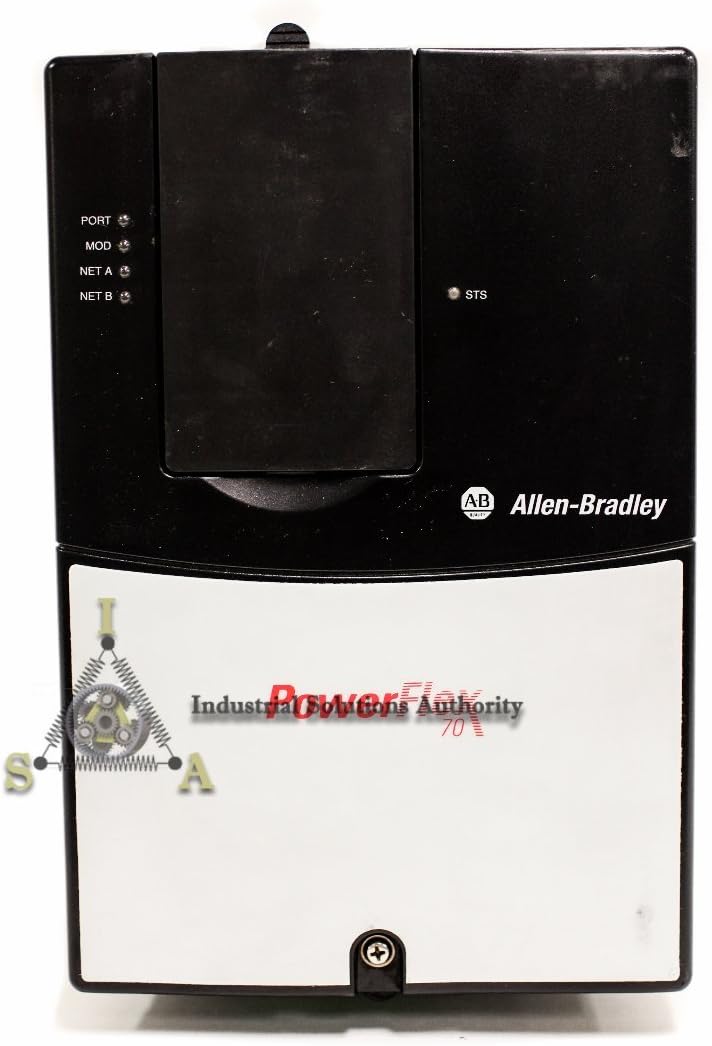
រូបភាពទី 2: ផ្នែកខាងមុខ view of the PowerFlex 70 VFD, highlighting the control panel area with status indicators (PORT, MOD, NET A, NET B, STS).
សេចក្តីណែនាំប្រតិបត្តិការ
After successful installation and wiring, the drive is ready for initial power-up and configuration.
ការបញ្ចូលថាមពលដំបូង
- ផ្ទៀងផ្ទាត់ការតភ្ជាប់ខ្សែភ្លើងទាំងអស់មានសុវត្ថិភាព និងត្រឹមត្រូវ។
- Apply main power to the VFD.
- Observe the drive's display and status indicators. The drive should power on and display a ready state or a default parameter.
ការកំណត់រចនាសម្ព័ន្ធប៉ារ៉ាម៉ែត្រ
The PowerFlex 70 VFD requires configuration of various parameters to match the motor and application requirements. Common parameters include:
- Motor Nameplate Data (Voltage, Current, Frequency, RPM, Power)
- Acceleration/Deceleration Times
- Minimum/Maximum Frequencies
- Control Mode (V/Hz, Sensorless Vector, etc.)
- Input/Output Terminal Assignments
Refer to the comprehensive programming manual for a complete list of parameters and their functions. Parameters can typically be set via the drive's keypad or through communication software.
ការចាប់ផ្តើមនិងបញ្ឈប់ម៉ូទ័រ
- ចាប់ផ្តើម៖ Initiate a run command via the keypad, digital input, or communication network.
- ការត្រួតពិនិត្យល្បឿន៖ Adjust the motor speed using the speed reference input (e.g., analog input, potentiometer, or network command).
- បញ្ឈប់៖ Issue a stop command via the keypad, digital input, or communication network. The drive will decelerate the motor according to the programmed deceleration time.
ថែទាំ
Regular maintenance ensures the longevity and optimal performance of your PowerFlex 70 VFD.
- ការសម្អាត៖ Periodically clean the drive's heat sinks and ventilation openings to prevent dust buildup, which can impede cooling. Use compressed air or a soft brush. Ensure power is disconnected before cleaning.
- ការតភ្ជាប់៖ Check all electrical connections for tightness. Loose connections can cause overheating and intermittent operation.
- ការត្រួតពិនិត្យបរិស្ថាន៖ ត្រូវប្រាកដថាបរិយាកាសប្រតិបត្តិការនៅតែស្ថិតក្នុងដែនកំណត់សីតុណ្ហភាព និងសំណើមដែលបានកំណត់។
- Capacitor Inspection: For drives in service for several years, consider having qualified personnel inspect the DC bus capacitors for signs of degradation.

រូបភាពទី ៩៖ ពីលើចុះក្រោម view of the PowerFlex 70 VFD, showing the top surface and part of the cooling fins.
ការដោះស្រាយបញ្ហា
This section provides guidance for common issues. For detailed fault codes and advanced diagnostics, refer to the drive's programming manual.
| Symptom/Fault Code | មូលហេតុដែលអាចកើតមាន | សកម្មភាពកែតម្រូវ |
|---|---|---|
| ដ្រាយមិនបើកទេ | No input power; Blown fuse; Incorrect wiring | Check input power supply; Inspect fuses; Verify wiring connections. |
| ម៉ូទ័រមិនដំណើរការទេ។ | No run command; Incorrect parameter settings; Motor fault | Verify run command signal; Check motor parameters; Inspect motor for damage. |
| កំហុសចរន្តលើស | Motor overload; Short circuit; Rapid acceleration | Reduce load; Check motor and cables for shorts; Increase acceleration time. |
| លើសtage កំហុស | វ៉ុលបញ្ចូលខ្ពស់tage; Rapid deceleration; Regenerative load | ពិនិត្យមើលការបញ្ចូលវ៉ុលtage; Increase deceleration time; Consider a dynamic braking resistor. |
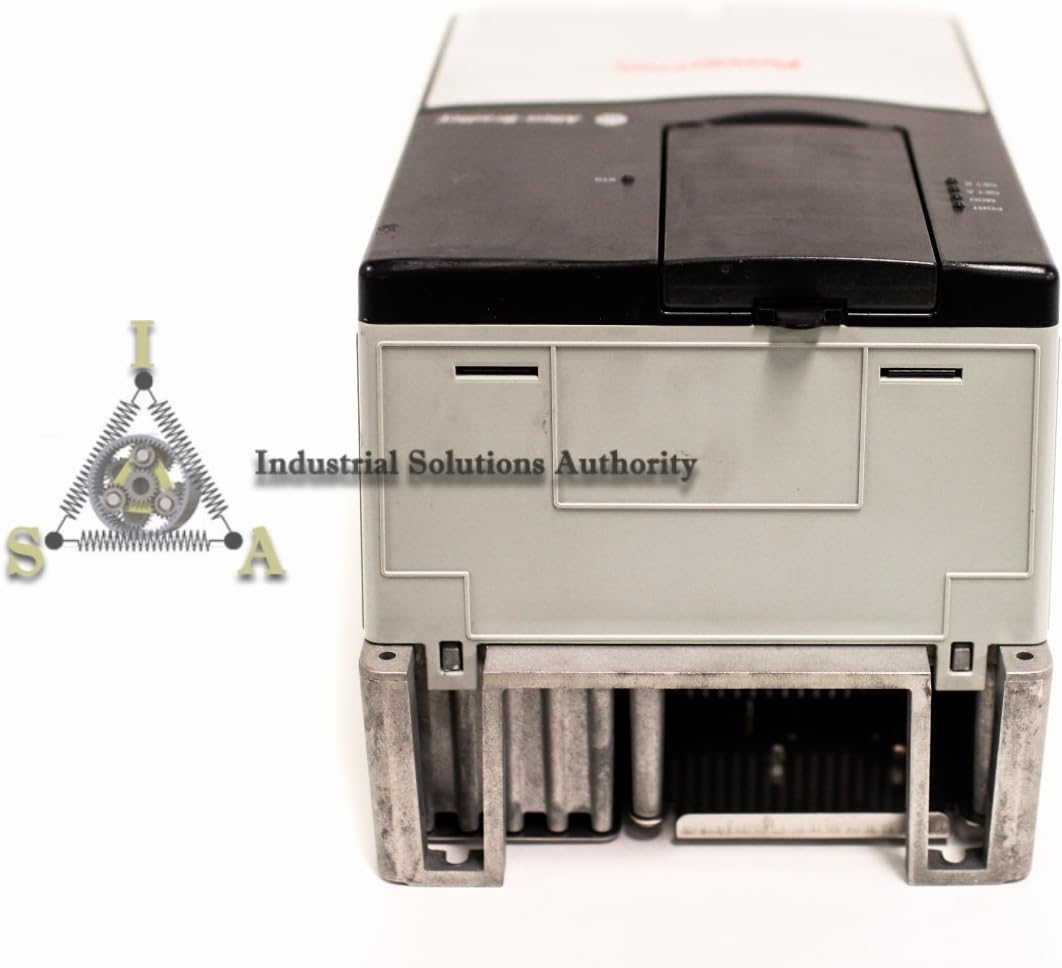
រូបភាពទី 4: បាត view of the PowerFlex 70 VFD, showing the base and mounting points, indicating its robust construction.
លក្ខណៈបច្ចេកទេស
Key technical specifications for the Allen-Bradley PowerFlex 70 VFD, model 20AC015A0AYNANNN:
- លេខម៉ូដែល៖ 20AC015A0AYNANNN
- ក្រុមហ៊ុនផលិត៖ Allen-Bradley
- ការវាយតម្លៃថាមពល៖ 7.5 kW
- បញ្ចូលវ៉ុលtage: 400V AC
- ទំហំផលិតផល៖ 16 x 16 x 16 អ៊ីញ (ប្រហាក់ប្រហែល)
- ASIN: B01FKCM8CU
- កាលបរិច្ឆេទដំបូងអាចរកបាន៖ ថ្ងៃទី 12 ខែឧសភា ឆ្នាំ 2016
ការធានា និងការគាំទ្រ
For warranty information, please refer to the documentation provided at the time of purchase or contact your authorized Allen-Bradley distributor. Technical support can be obtained through official Allen-Bradley channels or your product supplier.
For additional resources, including detailed programming manuals and software, visit the official ស្វ័យប្រវត្តិកម្ម Rockwell webគេហទំព័រ (parent company of Allen-Bradley).