BlackBerry BB 9900 Bold Touch Smartphone User Manual
Model: BB 9900
1. សេចក្តីផ្តើម
This manual provides essential instructions for setting up, operating, and maintaining your BlackBerry BB 9900 Bold Touch smartphone. Please read this guide thoroughly to ensure proper use and to maximize the device's capabilities. The BlackBerry BB 9900 Bold Touch combines a capacitive touchscreen with a full QWERTY keyboard, running on BlackBerry OS 7.
2. មាតិកាកញ្ចប់
ផ្ទៀងផ្ទាត់ថាកញ្ចប់របស់អ្នកមានធាតុដូចខាងក្រោម៖
BlackBerry BB 9900 Bold Touch Smartphone
ថ្មដែលអាចសាកបាន។
ឧបករណ៍បញ្ចូលថ្មជញ្ជាំង
ខ្សែ USB
សៀវភៅណែនាំអ្នកប្រើ (ឯកសារនេះ)
3. ឧបករណ៍លើសview
Familiarize yourself with the physical features of your BlackBerry BB 9900 Bold Touch.
3.1 រណសិរ្ស View
រូបភាព៖ ខាងមុខ view of the BlackBerry BB 9900 Bold Touch, highlighting the 2.8-inch touchscreen and the physical QWERTY keyboard below it. The device also features a trackpad and call/end buttons.
អេក្រង់ប៉ះ៖ 2.8-inch capacitive display for interactive navigation.
ក្ដារចុច QWERTY៖ Full physical keyboard for efficient typing.
Optical Trackpad: For precise navigation and selection.
ប៊ូតុងហៅ/បញ្ចប់៖ Standard telephony controls.
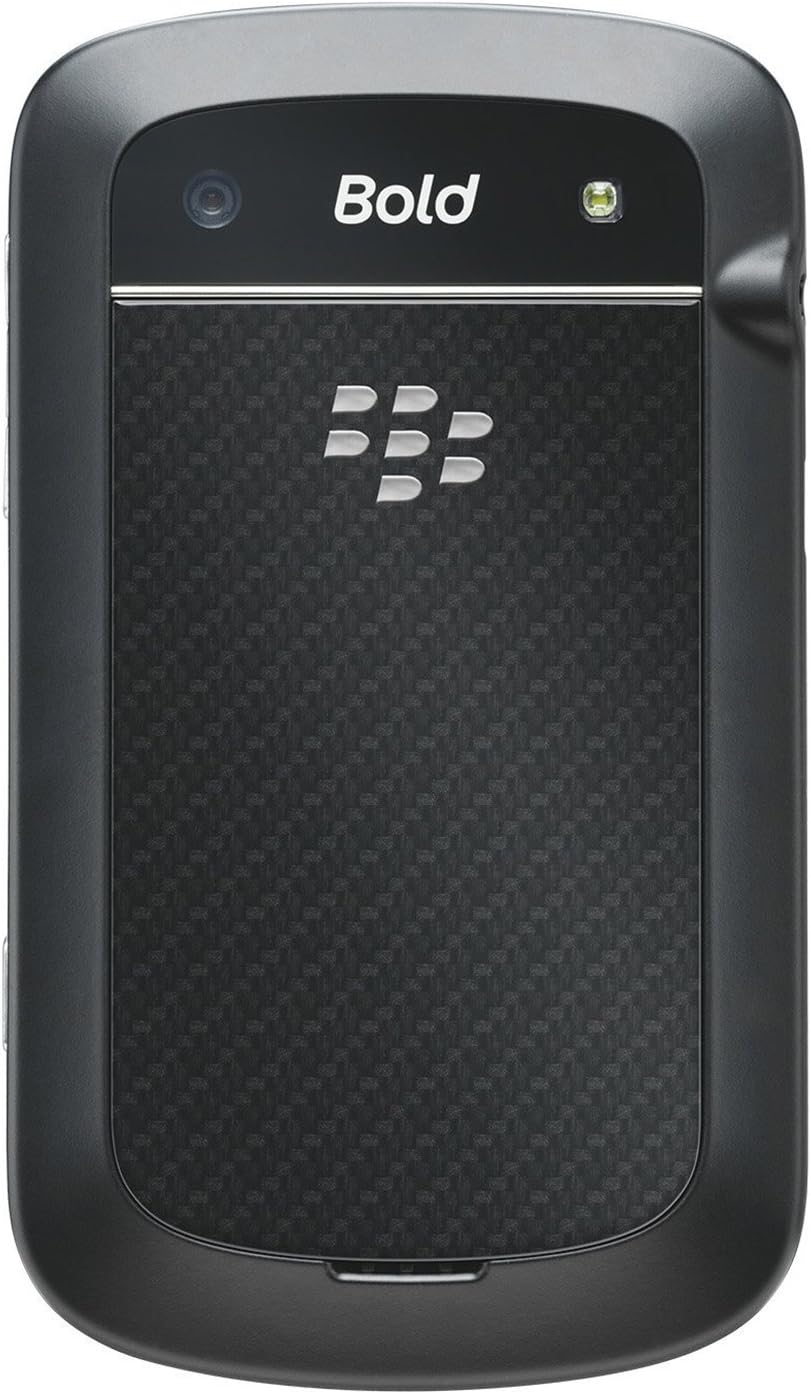
3.2 ខាងក្រោយ View
រូបភាព៖ ខាងក្រោយ view of the BlackBerry BB 9900 Bold Touch, featuring the 5-megapixel camera lens, LED flash, and the BlackBerry logo.
កាមេរ៉ា 5MP៖ Primary camera with autofocus and LED flash.
គម្របថ្ម៖ Removable cover for battery and SIM card access.
3.3 ចំហៀង View
រូបភាព៖ ចំហៀង view of the BlackBerry BB 9900 Bold Touch, illustrating the placement of the volume control buttons and a customizable convenience key.
ដើម្បីបើកដំណើរការ៖ Press and hold the Power/Lock button (usually located on the top edge) until the BlackBerry logo appears.
ដើម្បីបិទថាមពល៖ Press and hold the Power/Lock button until the 'Power Off' option appears on the screen. Tap 'Power Off' to confirm.
5. សេចក្តីណែនាំប្រតិបត្តិការ
៥.៣ ការរុករកអេក្រង់ប៉ះ
ប៉ះ៖ Touch the screen briefly to open applications, select items, or activate buttons.
អូស៖ Drag your finger across the screen to scroll through lists or switch between home screen panels.
Pinch-to-Zoom: Use two fingers to zoom in or out on photos, web ទំព័រ ឬផែនទី។
៤.១ ការប្រើប្រាស់ក្តារចុច QWERTY
The physical QWERTY keyboard allows for fast and accurate text entry. Each key corresponds to a letter, number, or symbol. Use the 'Alt' key for alternate characters and the 'Shift' key for capitalization.
5.3 ការហៅទូរសព្ទ
From the home screen, tap the Phone icon or press the green Call button.
Enter the phone number using the keyboard.
Press the green Call button to initiate the call.
To end a call, press the red End Call button.
5.4 ការផ្ញើសារ
Tap the Messages icon from the home screen.
Select 'Compose New' or similar option.
បញ្ចូលលេខរបស់អ្នកទទួល ឬជ្រើសរើសពីទំនាក់ទំនង។
Type your message using the QWERTY keyboard.
Tap 'Send'.
5.5 ការប្រើប្រាស់កាមេរ៉ា
ប៉ះរូបតំណាងកាមេរ៉ាដើម្បីបើកកម្មវិធីកាមេរ៉ា។
ស៊ុមរូបថតរបស់អ្នកដោយប្រើអេក្រង់ viewអ្នករក។
Tap the screen or press the convenience key (if configured) to take a photo.
The 5MP camera features autofocus and an LED flash for improved image quality.
5.6 ការភ្ជាប់ទៅ Wi-Fi
Go to 'Options' > 'Networks and Connections' > 'Wi-Fi'.
Turn Wi-Fi on. The device will scan for available networks.
Once connected, the Wi-Fi indicator will appear in the status bar.
5.7 Using NFC (Near Field Communication)
The BlackBerry BB 9900 Bold Touch supports NFC for short-range wireless communication. This allows for quick pairing with compatible accessories or sharing data with other NFC-enabled devices by tapping them together.
Periodically check for software updates to ensure your device has the latest features and security enhancements. Updates can typically be found in the device's 'Options' or 'Settings' menu under 'Software Updates'.
7. ការដោះស្រាយបញ្ហា
7.1 ឧបករណ៍មិនបើក
ត្រូវប្រាកដថាបញ្ចូលថ្ម និងសាកបានត្រឹមត្រូវ។
Connect the device to the charger and wait a few minutes before attempting to power on again.
If the issue persists, try removing and reinserting the battery.
7.2 បញ្ហានៃការតភ្ជាប់បណ្តាញ
Check if your SIM card is correctly inserted and activated with your carrier.
Verify that cellular data or Wi-Fi is enabled in your device settings.
ចាប់ផ្តើមឧបករណ៍ឡើងវិញ។
If using Wi-Fi, ensure your router is working and you have entered the correct password.
If the issue is intermittent, check for any recent software installations that might be causing conflicts.
8. លក្ខណៈបច្ចេកទេស
លក្ខណៈ
លម្អិត
ឈ្មោះម៉ូដែល
BB 9900
ប្រព័ន្ធប្រតិបត្តិការ
BlackBerry OS 7
បង្ហាញ
2.8-inch Capacitive Touchscreen, 640 x 480 Resolution
ម៉ាស៊ីនដំណើរការ
Not specified (typically 1.2 GHz for this model)
RAM
768 មេកាបៃ
ឧបករណ៍ផ្ទុកខាងក្នុង
8 ជីកាបៃ
កាមេរ៉ាក្រោយ
5 MP, Autofocus, LED Flash
ការតភ្ជាប់
Wi-Fi 802.11 b/g/n, NFC, Bluetooth, GPS
ការគាំទ្របណ្តាញ
Quad-band GSM/GPRS/EDGE, Tri-band HSPA+
វិមាត្រ
4.53 x 2.6 x 0.41 អ៊ីង (115 x 66 x 10.5 ម.ម)
ទម្ងន់
4.6 អោន (130 ក្រាម)
អូឌីយ៉ូ Jack
3.5 ម។
9. ការគាំទ្រនិងការធានា
9.1 ជំនួយអតិថិជន
For technical assistance, troubleshooting beyond this manual, or service inquiries, please visit the official BlackBerry support website or contact your local service provider. Refer to the packaging or official webគេហទំព័រសម្រាប់ព័ត៌មានលម្អិតទំនាក់ទំនងជាក់លាក់។
9.2 ព័ត៌មានធានា
Your BlackBerry BB 9900 Bold Touch is covered by a limited warranty. Please refer to the warranty card included in your product packaging or visit the official BlackBerry webសូមចូលទៅកាន់គេហទំព័រសម្រាប់លក្ខខណ្ឌលម្អិត រួមទាំងរយៈពេលធានា និងព័ត៌មានលម្អិតអំពីការធានារ៉ាប់រង។ សូមរក្សាទុកភស្តុតាងនៃការទិញរបស់អ្នកសម្រាប់ការទាមទារការធានា។
Ask a question about this manual
Ask about setup, troubleshooting, compatibility, parts, safety, or missing instructions. Manuals+ will review the question and use this page’s manual context to help answer it.